Step 1
Upload a source still
Use the highest-resolution master you have.
Restyle, edit, and transform stills with models typed edit or i2i. Same prepaid balance as text-to-image — no separate edit plan.
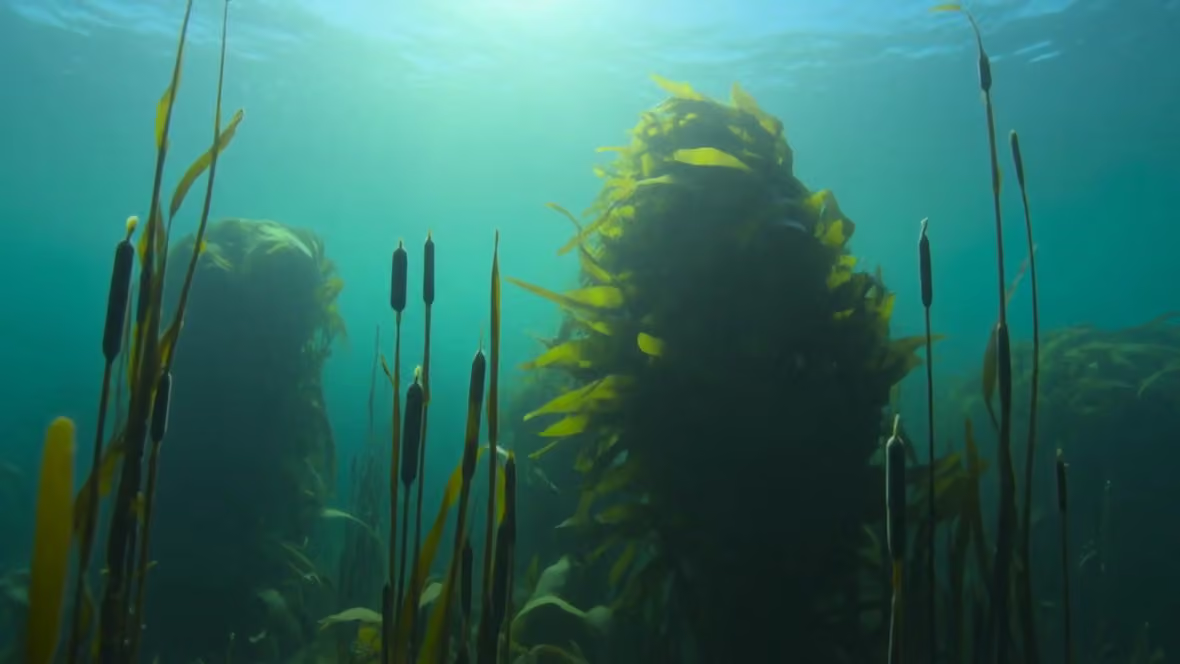
Nano Banana Pro Edit · Prompt: Underwater kelp forest restyle pass, bioluminescent accents
Image-to-image and edit models take an input still and transform it — restyle, inpaint, or structure-preserve. FairStack lists type edit and type i2i.
Try image edit →15 selectable models — filtered from config capability flags, not a hand-maintained list.
$0.015804/image
GPT Image 2.5 Flare Edit is one of the two models OpenAI shipped with ChatGPT Images 2.5 on 2026-09-08. Flare is the more stylised of the pair — in our first side-by-side it produced stronger backlighting, a heavier colour grade and shallower foreground focus. It keeps the 2.x strengths — strong text rendering, neutral colour, high prompt adherence — and adds a wider quality ladder plus materially faster generation. The headline change is the quality ladder: 2.5 exposes five paid tiers (low, medium, high, xhigh, max) where earlier GPT Image models exposed three. The tiers were also re-spread, so a 2.5 tier name does NOT correspond to the same-named tier on GPT Image 2 — pick a tier by its price and output, not by its label. FairStack price at 1024×1024 (base model cost plus the flat 20% platform fee, shown before you spend): $0.0071 low, $0.0158 medium, $0.0632 high, $0.1124 xhigh, $0.2529 max. Requests run against OpenAI directly, with fal.ai wired as a same-model fallback so a provider outage reroutes without changing the model.
$0.015804/image
GPT Image 2.5 Sunburst Edit is one of the two models OpenAI shipped with ChatGPT Images 2.5 on 2026-09-08. Sunburst is the more literal of the pair — in our first side-by-side it rendered a broader, more documentary view of the scene with flatter lighting. It keeps the 2.x strengths — strong text rendering, neutral colour, high prompt adherence — and adds a wider quality ladder plus materially faster generation. The headline change is the quality ladder: 2.5 exposes five paid tiers (low, medium, high, xhigh, max) where earlier GPT Image models exposed three. The tiers were also re-spread, so a 2.5 tier name does NOT correspond to the same-named tier on GPT Image 2 — pick a tier by its price and output, not by its label. FairStack price at 1024×1024 (base model cost plus the flat 20% platform fee, shown before you spend): $0.0071 low, $0.0158 medium, $0.0632 high, $0.1124 xhigh, $0.2529 max. Requests run against OpenAI directly, with fal.ai wired as a same-model fallback so a provider outage reroutes without changing the model.
$0.021/image
Ideogram V3 Reframe specializes in aspect ratio transformation and canvas extension at just $0.018 per image, making it the most affordable model in the Ideogram family. It intelligently extends images beyond their original boundaries through AI-powered outpainting, naturally generating content that seamlessly matches the existing scene. The model excels at adapting images for different format requirements, converting landscape images to portrait, extending square images to wide format, or adding canvas space for new compositions. Ideogram's design-aware AI ensures that extended areas maintain visual consistency with the original content, including matching styles, textures, and lighting conditions. Compared to general-purpose editing models which can handle outpainting as one of many capabilities, Ideogram V3 Reframe is specifically optimized for this task and produces cleaner, more natural extensions. Against using manual cropping or letterboxing to change aspect ratios, AI outpainting generates new content that fills the frame naturally. Best suited for social media format adaptation, converting images between landscape, portrait, and square formats, extending image boundaries for new compositions, and any workflow requiring intelligent aspect ratio transformation. Available on FairStack at infrastructure cost plus a 20% platform fee.
$0.024/image
Bria Extract Object isolates a named object from any image and returns it as a transparent RGBA PNG cutout (plus a binary mask). Describe the object in a text prompt — "the red sneaker", "the coffee mug" — and the model extracts just that object with clean edges, ready to drop onto any background. This is a purpose-built cutout tool for ecommerce and product workflows: pull a product out of a busy photo, build catalog assets, composite items onto new scenes, or prep images for design work. It differs from background removal (which keeps the entire foreground) — Extract Object targets one specific thing you name, and from add-object tools that insert rather than isolate. Bria is a commercially-licensed, rights-cleared image source, which matters for teams shipping product imagery. At a flat $0.02 per image it is one of the lower-cost edit operations in the catalog. Available on FairStack at infrastructure cost plus a 20% platform fee.
$0.03/image
FLUX Kontext Pro from Black Forest Labs is the state-of-the-art model for targeted image editing. It enables surgical modifications — changing specific elements while preserving everything else in the image, including composition, style, lighting, and all unmodified details. Users describe changes in natural language, and the model applies them with precision. With an identity preservation score of 0.80, it leads the FLUX family in maintaining visual coherence during edits. The model understands spatial relationships and composition, ensuring that modifications integrate naturally with surrounding elements. It supports text-guided editing where changes are described conversationally rather than requiring masks or manual selection. Multiple provider routing ensures high reliability. Compared to Seedream Edit, which excels at whole-character consistency across a series, Kontext Pro is stronger at editing individual elements within a single image. Against GPT Image 1.5 I2I, it offers more precise spatial control but weaker text handling. The FLUX text rendering weakness persists, so edits involving typography should use a different model. Ideal for premium character consistency work, professional photo editing workflows, product photo iteration, and design refinement where precise element-level control matters. Available on FairStack at infrastructure cost plus a 20% platform fee.
$0.03/image
FLUX 2 Pro Edit is Black Forest Labs' professional-grade editing model from the FLUX 2 family at $0.025 per edit. It delivers strong identity and style preservation during modifications, applying context-aware changes that maintain composition while precisely targeting specific elements for alteration. The model understands the visual context of the entire image when editing individual elements, ensuring that modifications blend naturally with the surrounding content. Identity preservation keeps subjects recognizable through edits, and style consistency ensures the edited result matches the aesthetic of the original. These capabilities make it suitable for professional retouching and iterative design work. Compared to FLUX Kontext Pro which specifically optimizes for identity preservation at a higher price, FLUX 2 Pro Edit offers a more general-purpose professional editing experience within the FLUX 2 family. Against Ideogram V3 Edit which leads in text handling, FLUX 2 Pro Edit inherits the FLUX family's text rendering weakness but provides stronger general editing quality. Best suited for professional image editing, identity-preserving modifications, context-aware retouching, iterative design workflows, and any editing task where maintaining the original image's character is important. Available on FairStack at infrastructure cost plus a 20% platform fee.
$0.033/image
Seedream 5.0 Lite Edit is the image editing variant of ByteDance's latest Seedream model, bringing reasoning-enhanced editing capabilities to image modification workflows. The model takes an existing image and text prompt, applying intelligent edits informed by its reasoning capabilities to produce context-aware modifications at up to 3K resolution. The reasoning enhancement means the model better understands the intent behind editing instructions, producing edits that are more contextually appropriate than models that match patterns without deeper comprehension. High-resolution output preservation ensures that edits maintain the detail level of the source image. Compared to standard editing models that rely on prompt matching, Seedream 5.0 Lite Edit's reasoning capabilities produce more intelligent, context-aware edits. Against the full Seedream 5 model, the Lite variant optimizes for speed and cost while retaining the reasoning advantage. Best suited for intelligent image refinement, resolution-preserving edits, and editing workflows where context-aware AI interpretation of instructions produces better results than pattern-matching approaches. Available on FairStack at infrastructure cost plus a 20% platform fee.
$0.039/image
Seedream 4.5 Edit is the latest editing model from ByteDance, sharing the unified architecture of the Seedream 4.5 T2I variant. This architectural consistency means that images generated with Seedream 4.5 T2I can be seamlessly refined using the Edit variant without quality degradation or style drift between generation and editing passes. The model delivers strong identity preservation during edits, maintaining facial features, clothing, and character details through modifications. Fine detail handling is improved over version 4.0, with better preservation of textures and subtle elements during editing operations. Style adherence is a particular strength — the model maintains the original aesthetic while applying requested changes. Compared to Seedream 4.0 Edit, this version offers higher fidelity editing at a higher price point. Against FLUX Kontext Pro, it provides a different editing approach: where Kontext excels at surgical element-level changes, Seedream 4.5 Edit is stronger at maintaining holistic visual coherence across broader modifications. Text rendering during edits remains mediocre. Best suited for premium editing workflows, character-consistent image series, cinematic-style editing, and professional retouching work. Available on FairStack at infrastructure cost plus a 20% platform fee.
$0.04032/image
Nano Banana 2 Lite Edit is the image-editing variant of Google's fastest image model (Gemini 3.1 Flash Lite Image). Upload a source image and describe the change; the model applies a single-pass prompt-based edit — object, background, style, and composition adjustments — at the lowest per-edit cost in the catalog and ~4-second turnaround. It runs on FairStack's direct-to-Google image path and accepts up to 14 reference images for a single edit. Output is 1K resolution. It is optimized for fast, one-shot edits rather than multi-turn sequential refinement, where the higher Nano Banana tiers or dedicated editors like FLUX Kontext perform better. Best suited for quick adjustments, batch editing, and budget-friendly editing workflows where speed and price outweigh maximum precision. Available on FairStack at infrastructure cost plus a 20% platform fee.
$0.042/image
Seedream 5.0 Pro Edit is the editing half of ByteDance's flagship Seedream 5 model, built as a grounded, region-precise editor. Its defining behavior is restraint: given an instruction to change a single element, it changes that element and leaves the rest of the frame intact rather than resynthesizing the whole scene. In our onboarding test, recoloring a single subject preserved the background forest, snow texture, sun position, falling snow, and the subject's exact pose and framing — the kind of compositional fidelity that makes edits usable in a real production chain, where a re-rolled background means redoing downstream work. The model accepts up to ten reference images, so it can also condition an edit on additional context. Compared to prompt-matching editors that drift on every pass, Pro Edit is the safer choice when the source image is already right and only one thing needs to move. Like the text-to-image variant, it is slow — budget roughly two minutes per edit. Available on FairStack at infrastructure cost plus a 20% platform fee.
$0.048/image
Nano Banana 2 Edit is the image editing variant of Nano Banana 2, available through Kie.ai, that modifies existing images based on text instructions at low cost. Users upload a source image and describe the desired changes, and the model applies edits while attempting to preserve the unmodified areas of the original. The model provides fast processing for basic editing tasks including style changes, element modification, and general image adjustment. The simple input format of image plus text prompt makes it accessible for straightforward editing needs. Cost per edit is competitive with other budget editing options. Compared to premium editing models like GPT Image I2I or FLUX Kontext Pro that offer more precise and sophisticated editing, Nano Banana 2 Edit provides a budget alternative for simpler modifications. Against manual editing in design software, AI-driven editing automates the process for common tasks. Best suited for quick image adjustments, batch editing workflows, and budget-friendly editing where fast, affordable edits serve the immediate need without premium quality requirements. Available on FairStack at infrastructure cost plus a 20% platform fee.
$0.048/image
Bria Expand outpaints an image beyond its original edges, generating new content that continues the scene in-style. Give it an image plus a target aspect ratio (or an exact canvas size in pixels) and it fills the surrounding area — turn a tight square crop into a wide 16:9 banner, add headroom above a subject, or extend a background so there is room for text and layout. This is the generative counterpart to a plain crop: instead of throwing pixels away, it invents plausible new pixels that match lighting, texture, and composition. It differs from Ideogram V3 Reframe (which re-frames to a preset aspect ratio) by letting you drive the exact output canvas and where the original sits within it — the directional, pixel-precise 'expand the borders' workflow. An optional text prompt guides what appears in the new area. Bria is a commercially-licensed, rights-cleared image source, which matters for teams shipping product and marketing imagery. At a flat $0.04 per image it is one of the lower-cost generative-edit operations in the catalog. Available on FairStack at infrastructure cost plus a 20% platform fee — and, unlike opaque credit platforms, you see the exact price before you generate.
$0.048/image
Qwen Image 3 Edit is the editing half of Alibaba's Qwen Image 3. Give it one to three reference images and a plain-language instruction, and it applies the change while preserving key details such as facial features and identity. When you pass more than one image, refer to them in the prompt as image 1, image 2 and image 3. With no aspect ratio set, the edit renders at the standard 1K framing closest to your first input image — square, 4:3 or 16:9, in the same orientation. Choosing an aspect ratio renders the edit at that framing instead. Prompts can be written in English or Chinese, and a negative prompt names what to keep out. Billing is per edited image, at the model's cost plus a flat 20% platform fee, shown before you spend.
$0.072/image
The image-to-image variant of GPT Image 2. Accepts up to 16 input images and a prompt of up to 20,000 characters, enabling reference-heavy workflows, brand-consistent edits, and multi-image composites. Supports mask-based inpainting and outpainting. On FairStack, this runs on fal.ai with full parameter control — quality tiers (low/medium/high) and resolution presets + custom sizing.
$0.1608/image
Nano Banana Pro Edit brings the same layout precision and multi-element handling capabilities of the T2I variant to image editing workflows. Upload a reference image and make precise modifications while the model preserves the spatial structure, element positioning, and compositional balance of the original. The model supports reference-based editing with resolution options including 2K output. Its strength lies in maintaining the structural integrity of complex, multi-element compositions during edits — where other editing models might shift element positions or alter spatial relationships, Nano Banana Pro Edit keeps the layout intact while applying requested changes. Compared to other editing models, it is the most expensive option at $0.14 per edit, reflecting its premium positioning. Against FLUX Kontext Pro, it offers better layout preservation but is less suited for general-purpose photo editing. Against Seedream Edit, it excels at maintaining structural compositions rather than character identity. The high cost is justified for specialized workflows where layout accuracy is critical. Best suited for iterating on technical illustrations, modifying complex infographics, adjusting dashboard designs, and any editing workflow where preserving spatial relationships between multiple elements is the primary requirement. Available on FairStack at infrastructure cost plus a 20% platform fee.
Step 1
Use the highest-resolution master you have.
Step 2
The picker only includes edit/i2i types from config.
Step 3
State what changes and what must remain.
Step 4
Compare outputs across models on one balance.
Local edits beat global restyles for product work.
Reference face or logo in the prompt when it must survive.
Recolor and restage without reshooting.
Explore looks on a locked composition.
Config type edit or i2i. Text-to-image-only models are excluded automatically.
Still have questions? We're here to help.