Step 1
Pick a t2i model
Open Studio → Image and choose from this page's filtered list.
Prompt to still across every selectable t2i model. Per-image pricing with a 20% margin — Nano Banana Pro at $0.161, GPT Image 2 at $0.072.
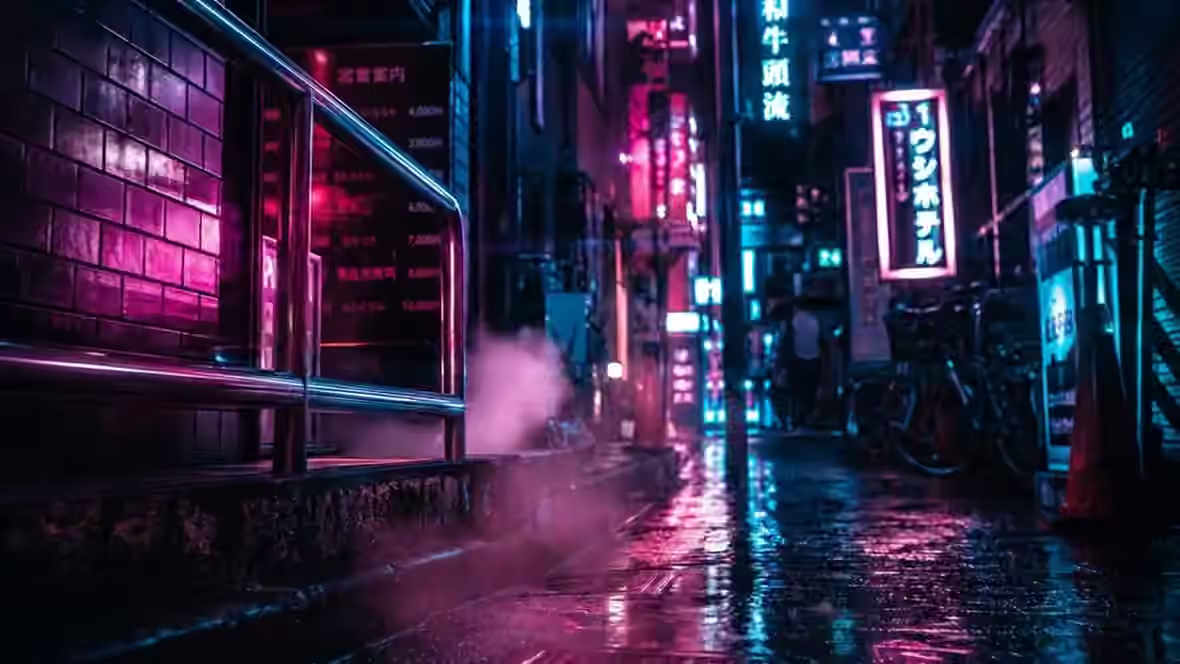
GPT Image 2 · Prompt: Neon corridor portrait, wet asphalt reflections, anamorphic flares
Text-to-image models render a still from a written prompt. FairStack lists models with config type t2i only.
Try text to image →19 selectable models — filtered from config capability flags, not a hand-maintained list.
$0.0048/image
Z-Image Turbo is the most affordable image generation model in the FairStack catalog at just $0.004 per image. It generates images in under 2 seconds, making it the fastest option available. This combination of ultra-low cost and high speed makes it the clear choice for workflows where iteration velocity matters more than maximum visual fidelity. The model produces good baseline quality suitable for drafts, mockups, concept exploration, and rapid prototyping. At its price point, users can generate hundreds of images for pennies — enabling creative exploration workflows that would be prohibitively expensive with premium models. The consistent output quality also makes it reliable for batch processing. Compared to premium models like GPT Image 1.5 or Seedream 4.0, Z-Image Turbo produces lower detail, less nuanced composition, and basic text rendering. Against similarly priced alternatives like FLUX Schnell ($0.003), it offers comparable speed with slightly different aesthetic characteristics. The tradeoff is straightforward: maximum throughput at minimum cost. Ideal for rapid prototyping, draft iterations, high-volume batch jobs, cost-sensitive workflows, and any situation where generating many options quickly is more valuable than perfecting a single image. Available on FairStack at infrastructure cost plus a 20% platform fee.
$0.033/image
Seedream 5.0 Lite T2I is ByteDance's latest lightweight text-to-image model featuring built-in web search integration and reasoning capabilities. The model can reference current web information during generation and applies reasoning to interpret complex prompts, producing up to 3K resolution output with strong prompt comprehension. The web search integration enables generation of images informed by current visual references and real-world knowledge, useful for prompts that reference specific recent events, current fashion, or existing products. The reasoning capabilities help the model interpret complex, multi-part prompts more accurately than models that rely on pattern matching alone. Compared to earlier Seedream generations and models without web search, Seedream 5.0 Lite offers a fundamentally different approach to prompt interpretation with real-time knowledge access. As the Lite variant, it optimizes for speed and cost over maximum quality, making it the accessible entry point to Seedream 5's new capabilities. Best suited for high-resolution image generation, complex prompts requiring reasoning, and cost-effective production where web-search-enhanced generation provides better prompt understanding. Available on FairStack at infrastructure cost plus a 20% platform fee.
$0.039/image
Seedream 4.5 is ByteDance's latest image generation model, building on the strong photorealistic foundation of version 4.0 with improvements across composition, detail rendering, and lighting accuracy. It shares a unified architecture with the Seedream 4.5 Edit variant, ensuring consistent quality between generation and editing workflows. Enhanced photorealism is the headline improvement — skin textures, fabric detail, and environmental elements render with greater fidelity than the previous generation. Text understanding has also improved, though it still trails dedicated text-rendering models like Ideogram V3 and GPT Image 1.5. Compared to Seedream 4.0, version 4.5 delivers noticeably better lighting and color accuracy at a slightly higher price point. Against competitors like Midjourney, it offers comparable quality with transparent per-image pricing instead of subscription-based access. Ideal for premium hero images, cinematic content, high-end marketing visuals, and professional photography-style generation. Available on FairStack at infrastructure cost plus a 20% platform fee.
$0.04032/image
Nano Banana 2 Lite is Google's fastest and most affordable image model (Gemini 3.1 Flash Lite Image), generating a text-to-image result in roughly 4 seconds — about 2.7x faster than the standard Nano Banana 2. It runs on FairStack's direct-to-Google image path (the same reliable pipeline as Nano Banana Pro), producing 1K-resolution images with strong prompt adherence at the lowest per-image cost in the catalog. The Lite tier is purpose-built for speed and volume: rapid iteration, thumbnail and asset generation, and cost-sensitive batch workflows where sub-5-second turnaround matters more than 2K/4K detail. It supports the full expanded aspect-ratio set (1:1, 3:2, 2:3, 3:4, 4:3, 4:5, 5:4, 9:16, 16:9, 21:9) and single-pass prompt-based editing with up to 14 reference images. Compared to Nano Banana 2 (mid tier) and Nano Banana Pro (top tier), Lite trades maximum resolution and Google Search grounding for speed and price — it renders at 1K only and has weaker small-text rendering. Best suited for high-volume generation, rapid prototyping, and any workflow where a low-cost fast image wins. Available on FairStack at infrastructure cost plus a 20% platform fee.
$0.042/image
Seedream 5.0 Pro is ByteDance's flagship text-to-image model and the top tier of the Seedream 5 family. Where the Lite variant optimizes for speed and cost, Pro is built for maximum fidelity: deep-thinking prompt understanding that reasons through complex, multi-clause instructions rather than pattern-matching keywords, plus notably strong photorealism, atmospheric lighting, and fine detail. In practice the model handles layered prompts — subject, environment, time of day, lens behavior, and lighting direction all at once — and reflects each element in the output rather than dropping the harder constraints. Photographic instructions such as shallow depth of field, rim lighting, and golden-hour atmosphere are honored closely, which makes it a strong fit for work that needs to read as premium rather than obviously synthetic. The tradeoff is latency: Pro is a slow model, taking around two minutes per image in our testing, so it suits deliberate hero-image work rather than rapid iteration — reach for Seedream 5.0 Lite or a turbo model when speed matters more than peak quality. Available on FairStack at infrastructure cost plus a 20% platform fee.
$0.048/image
Nano Banana 2 T2I is a fast, cost-effective text-to-image model available through Kie.ai that delivers solid image quality at a competitive price point. The model generates images from text prompts with good prompt adherence and consistent output quality, making it practical for rapid prototyping and high-volume generation workflows where speed and affordability take priority. The model provides quick generation turnaround suitable for iterative creative work. Prompt interpretation is reliable across common image generation use cases including product shots, scenes, portraits, and creative compositions. Output quality is good for its price tier, though it may not match top-tier models on fine detail or complex compositions. Compared to premium image models like GPT Image 1.5 or Seedream 4.0 that cost significantly more per image, Nano Banana 2 provides adequate quality at a predictable per-use price. Against other budget models, it offers consistent quality with fast processing. Best suited for high-volume image generation, rapid prototyping, and cost-sensitive workflows where affordable, fast image generation enables prolific creative exploration. Available on FairStack at infrastructure cost plus a 20% platform fee.
$0.072/image
GPT Image 2 is OpenAI's successor to GPT Image 1.5, released April 2026. It delivers near-perfect text rendering including handwritten notes and CJK scripts, eliminates the persistent warm color cast that plagued 1.5, and brings meaningful gains in prompt adherence and multi-object scene handling. The image-to-image endpoint supports precise inpainting and outpainting via mask images. On FairStack, GPT Image 2 runs on fal.ai with full parameter control: three quality tiers (low $0.01 / medium $0.06 / high $0.22 at 1024×1024), six preset resolutions (square_hd, square, portrait_4_3, portrait_16_9, landscape_4_3, landscape_16_9), and custom width×height sizing (multiples of 16, up to 8.3M total pixels). We chose fal.ai over the Kie.ai variant specifically because Kie.ai's gpt-image-2 endpoint accepts only prompt+aspect_ratio with no way to control quality or resolution. This is the recommended model for marketing images with text, multilingual content, UI mockups, and any workflow where 1.5 was close but not quite right.
$0.1608/image
Nano Banana Pro is ranked Elo #2 globally and excels at complex compositions involving multiple subjects, precise spatial layouts, and structured visual content. Its layout precision score of 0.92 is unmatched by any other image model, making it the definitive choice for images where specific element placement matters. The model handles multi-subject scenes with exceptional competence (0.88 score), accurately positioning and rendering multiple elements within a single image without confusion or blending. Fine detail rendering (0.86) and text rendering (0.72) are both strong, enabling technical illustrations with labels and annotations. Resolution support extends to high-quality output suitable for professional publishing. Compared to GPT Image 1.5, which leads in text rendering and prompt adherence, Nano Banana Pro is superior for spatial precision and multi-element compositions. Against Seedream 4.0, it offers much stronger layout control at a higher price point ($0.09/image). The model is less photorealistic than dedicated photo-style models, trading natural-looking output for structural accuracy. Ideal for technical illustrations, infographics, dashboards, complex multi-element compositions, blog illustrations, and any image where the spatial relationship between elements must be precisely controlled. Available on FairStack at infrastructure cost plus a 20% platform fee.
$0.0096/image
Krea 2 Turbo is the speed-optimized version of Krea's foundation image model, generating high-fidelity images from text in seconds. It keeps Krea 2's creator-focused aesthetic — clean, stylish output with a naturalistic look — while running fast and cheap enough for rapid iteration and drafting workflows. At $0.008 per megapixel it is one of the most affordable quality-tier models on FairStack, using preset image sizes (square, portrait, landscape) and supporting up to four images per request with optional acceleration and LLM prompt expansion. It trades some of Krea 2 Large's peak fidelity and style-reference depth for a large speed and cost advantage. Compared to other fast models like z-image-turbo and FLUX Turbo, Krea 2 Turbo brings Krea's distinctive aesthetic sensibility to the fast tier. Against Krea 2 Large, it is the iteration workhorse — draft here, finalize on Large when peak quality matters. Best for fast iteration, drafts, and high-volume aesthetic generation. Available on FairStack at infrastructure cost plus a 20% platform fee.
$0.015804/image
GPT Image 2.5 Flare is one of the two models OpenAI shipped with ChatGPT Images 2.5 on 2026-09-08. Flare is the more stylised of the pair — in our first side-by-side it produced stronger backlighting, a heavier colour grade and shallower foreground focus. It keeps the 2.x strengths — strong text rendering, neutral colour, high prompt adherence — and adds a wider quality ladder plus materially faster generation. The headline change is the quality ladder: 2.5 exposes five paid tiers (low, medium, high, xhigh, max) where earlier GPT Image models exposed three. The tiers were also re-spread, so a 2.5 tier name does NOT correspond to the same-named tier on GPT Image 2 — pick a tier by its price and output, not by its label. FairStack price at 1024×1024 (base model cost plus the flat 20% platform fee, shown before you spend): $0.0071 low, $0.0158 medium, $0.0632 high, $0.1124 xhigh, $0.2529 max. Requests run against OpenAI directly, with fal.ai wired as a same-model fallback so a provider outage reroutes without changing the model.
$0.015804/image
GPT Image 2.5 Sunburst is one of the two models OpenAI shipped with ChatGPT Images 2.5 on 2026-09-08. Sunburst is the more literal of the pair — in our first side-by-side it rendered a broader, more documentary view of the scene with flatter lighting. It keeps the 2.x strengths — strong text rendering, neutral colour, high prompt adherence — and adds a wider quality ladder plus materially faster generation. The headline change is the quality ladder: 2.5 exposes five paid tiers (low, medium, high, xhigh, max) where earlier GPT Image models exposed three. The tiers were also re-spread, so a 2.5 tier name does NOT correspond to the same-named tier on GPT Image 2 — pick a tier by its price and output, not by its label. FairStack price at 1024×1024 (base model cost plus the flat 20% platform fee, shown before you spend): $0.0071 low, $0.0158 medium, $0.0632 high, $0.1124 xhigh, $0.2529 max. Requests run against OpenAI directly, with fal.ai wired as a same-model fallback so a provider outage reroutes without changing the model.
$0.021/image
Ideogram V3 is the leading model for text rendering in generated images, with a text accuracy score of 0.92 — the highest of any image model available. It generates clean, readable text in any typographic style, making it the definitive choice for logos, signage, posters, banners, and any design requiring precise typography within AI-generated images. Beyond text rendering, the model demonstrates strong understanding of visual hierarchy, layout, and graphic design principles. It handles complex compositions with text-image interplay — such as movie posters, magazine covers, and branded marketing materials — with a sophistication that other models cannot match. Multiple speed tiers (Turbo, Balanced, Quality) let users optimize for generation speed or output refinement. Compared to GPT Image 1.5, which ranks second in text rendering (0.72 score), Ideogram V3 delivers noticeably cleaner and more accurate typography. Against FLUX models, which struggle with text, the difference is dramatic. The tradeoff is that Ideogram V3 is less photorealistic than Seedream or Imagen, favoring a design-centric aesthetic over photographic naturalism. Elo rated at 1142. Best suited for logo design, brand asset creation, poster and banner layouts, text-heavy marketing imagery, and any workflow where typography accuracy is essential. Available on FairStack at infrastructure cost plus a 20% platform fee.
$0.024/image
Grok Imagine T2I is xAI's image generation model, ranked Elo #5 globally. It delivers strong aesthetic quality across a diverse range of visual styles — from photorealistic to artistic — with an overall balance that makes it a reliable general-purpose generation model. At $0.02 per image, it offers one of the best quality-to-price ratios in the premium tier. The model produces consistently appealing output without a single dominant specialty. Its balanced capability profile means it handles portraits, landscapes, product shots, and creative compositions with approximately equal competence. This versatility makes it a practical default choice when the use case does not specifically call for a specialist model. Compared to Seedream 4.0 ($0.027), Grok Imagine delivers comparable overall quality at a lower price with broader style range. Against FLUX.2 Pro ($0.025), it offers similar versatility with a slight cost advantage. The model lacks a standout specialty — it does not lead in text rendering, photorealism, or layout precision — but its consistent performance across all dimensions is its strength. Elo score: 1187. Ideal for general-purpose high-quality generation, diverse aesthetic output, budget premium imagery, and workflows that need a reliable all-rounder without optimizing for a specific capability. Available on FairStack at infrastructure cost plus a 20% platform fee.
$0.024/image
Imagen 4 Ultra is Google's highest quality image generation tier, achieving the most photorealistic output in the Imagen family with a photorealism score of 0.95 and an Elo ranking of #6 globally. It represents the peak of Google's image generation capabilities, producing images with maximum detail, resolution, and visual fidelity. The model generates images with exceptional fine detail, accurate material rendering, and photographic-quality lighting that rivals professional photography. Every element from skin texture to fabric weave to atmospheric haze is rendered with meticulous accuracy. This level of quality is designed for use cases where the image must be indistinguishable from a real photograph. Compared to standard Imagen 4 at $0.04, Ultra at $0.06 delivers a noticeable step up in fine detail and photorealism that justifies the premium for hero content. Against GPT Image 1.5 High at $0.11 which ranks Elo #1 with superior text rendering, Imagen 4 Ultra offers better pure photorealism at a lower price. FLUX 2 Max at $0.07 competes on style versatility but trails on photographic realism. Best suited for hero images, print production, premium marketing assets, and any workflow where maximum photorealistic quality justifies the premium price point. Available on FairStack at infrastructure cost plus a 20% platform fee.
$0.03/image
FLUX.2 Pro from Black Forest Labs represents the next generation of the FLUX image synthesis architecture. Ranked Elo #3 globally, it delivers exceptional quality across photorealistic, artistic, and abstract styles — a versatility that makes it a reliable workhorse for professional image generation across diverse use cases. The model offers resolution control with 1K, 2K, and 4K output options, giving users precise control over output dimensions. Prompt adherence is strong across complex, multi-part instructions. Consistency is a standout trait — FLUX.2 Pro produces reliable results generation after generation, reducing the need for re-rolls compared to more variable models. Compared to GPT Image 1.5, FLUX.2 Pro offers broader stylistic range but weaker text rendering. Against Seedream 4.0, it provides more versatility across art styles while matching photorealistic quality. The FLUX family's text rendering remains its primary weakness, though FLUX.2 Pro has improved on the original FLUX.1 in this regard. Priced at $0.025 per image. Best suited for high-quality artistic images, style-driven generation, photography-style content, and professional imagery requiring versatility across multiple aesthetic directions. Available on FairStack at infrastructure cost plus a 20% platform fee.
$0.048/image
Qwen Image 3 is the third generation of Alibaba's Qwen image line, released in July 2026. It builds on the family's reputation for rendering complex text inside images and following detailed prompts closely, and it accepts prompts in both English and Chinese. An optional prompt-expansion step rewrites short prompts into richer ones before generation, and a negative prompt lets you name what to keep out of the frame. On FairStack every request renders at the 1K tier across six framings — square, 4:3 and 16:9 in either orientation — so the price per image is the same whichever you pick. Billing is per image, at the model's cost plus a flat 20% platform fee, shown before you spend.
$0.048/image
Recraft V4 Image is Recraft's text-to-image generation model (separate from the vector variant), focused on design workflows with precise color palette control and strong text-in-image rendering. The model supports multiple style modes including realistic, digital illustration, and vector illustration, with a 10,000-character prompt limit for detailed creative descriptions. At $0.04 per image, it provides affordable access to Recraft's design-focused generation capabilities. The color palette control allows specification of exact RGB values for brand-consistent output, a feature rare among image generation models. Text rendering in generated images is clean and readable, making it suitable for marketing materials and social media graphics. Compared to general-purpose image models like GPT Image or Seedream that focus on photorealism, Recraft V4 Image is optimized for design workflows where brand consistency and text placement matter. Against the Recraft V4 Pro Image at $0.25, the standard tier offers good quality at a lower price. Best suited for brand-consistent marketing materials, social media graphics with text, design mockups, and illustrations with specific color palettes. Available on FairStack at infrastructure cost plus a 20% platform fee.
$0.072/image
Ideogram V4 is Ideogram's frontier text-to-image model and the successor to V3, built as a 9.3B-parameter diffusion transformer with a Qwen3-VL text encoder and native 2048-pixel resolution. It extends V3's category-leading text rendering with denser, more accurate multilingual typography, native background transparency, and explicit layout control via structured prompting — making it the definitive choice for logos, posters, packaging, and any design where exact text and placement matter. Beyond typography, V4 improves photorealism and fine detail over V3 thanks to native 2K output, while adding precise control over composition through bounding-box and color-palette hints. Three rendering-speed tiers (Turbo, Balanced, Quality) let users trade generation speed for refinement; FairStack defaults to Balanced with prompt expansion disabled so the exact text you write is the text that renders. Compared to Seedream and Imagen — which lead on photographic naturalism — Ideogram V4 favors a design-centric aesthetic with unmatched text accuracy. Against FLUX, which struggles with text, the difference is dramatic. Best suited for brand assets, marketing layouts, and text-heavy imagery. Available on FairStack at infrastructure cost plus a 20% platform fee.
$0.072/image
Krea 2 Large is Krea's first foundation image model at full scale, tuned for photographic realism and 'raw' aesthetics — motion blur, film grain, controlled dynamic range, and naturalistic lighting that many models over-smooth away. It pairs that look with strong creative controls: a creativity dial (raw/low/medium/high), up to ten style and image-style references, and moodboard conditioning for art-directed, brand-consistent output. As the larger sibling of Krea 2 Turbo, it trades some speed for fidelity, producing high-detail images with a distinctive editorial aesthetic. It is aspect-ratio driven (1:1 through 2.35:1 cinematic and portrait ratios) rather than fixed presets, making it well-suited to hero shots, campaign imagery, and stylized photography. Compared to Seedream and Imagen, Krea 2 Large leans into a grittier, more photographic aesthetic rather than clean commercial polish. Against text-focused models like Ideogram, it is not a typography tool — its value is in look and feel. Best for photorealistic hero images, art-directed campaigns, and aesthetic-driven creative work. Available on FairStack at infrastructure cost plus a 20% platform fee.
Step 1
Open Studio → Image and choose from this page's filtered list.
Step 2
Subject, setting, light, lens — in that order.
Step 3
Match the destination: 1:1, 16:9, 9:16, or print sizes the model supports.
Step 4
Iterate on the same balance; switch models without a new account.
Soft window light beats a pile of style keywords.
Photo, oil, 3D render — pick one so the model does not blend.
Draft hero frames before the shoot.
Place SKUs in lifestyle sets without a studio day.
Every model here has type t2i in config. Today that is 16 selectable models inside the 28 image total.
Still have questions? We're here to help.