Step 1
Choose an image-to-video model
Open Studio → Video and select a model from this page's picker.
Bring stills to life with models that accept a start frame. Sora 2, Veo 3.1 Fast, and every other i2v-capable model land here — driven by config, not a hand list.
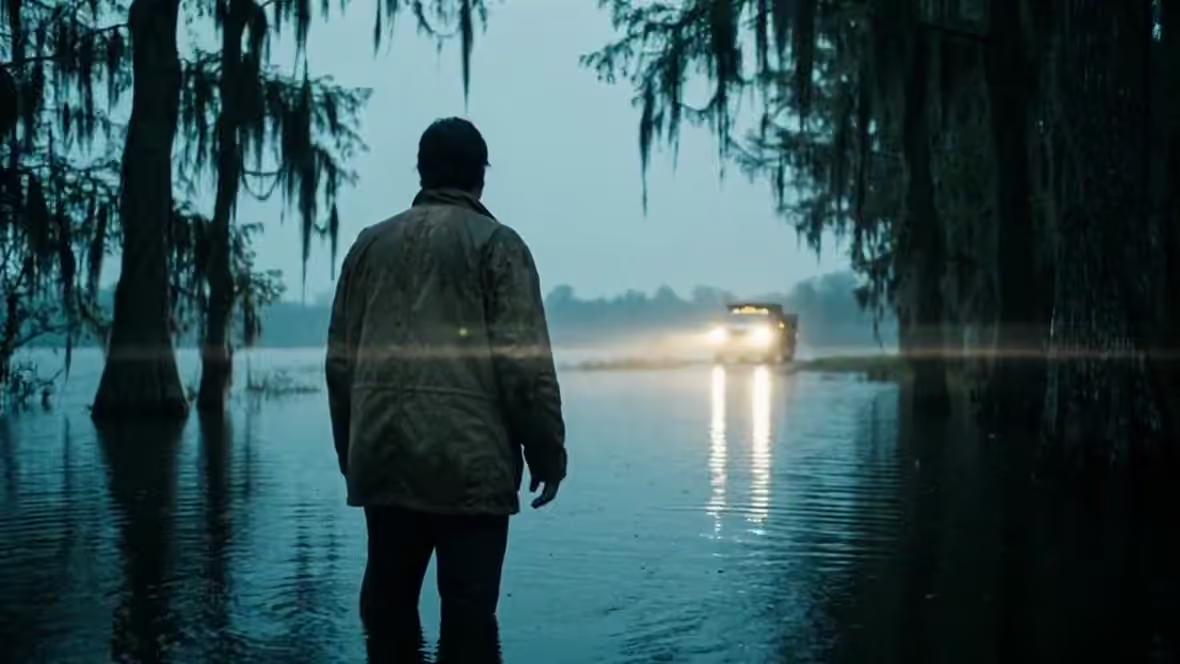
Sora 2 · Prompt: Slow dolly along a coastal cypress road at golden hour, soft marine haze, cinematic 35mm look
Image-to-video AI animates a still photo or illustration into a short clip — adding camera move and subject motion from a start frame. FairStack lists models with type i2v/flf or i2v supportedModes.
Try image to video →40 selectable models — filtered from config capability flags, not a hand-maintained list.
$0.123/sec
Seedance 2.0 Mini is ByteDance’s most affordable Seedance 2 model, built for high-volume video generation where cost matters more than maximum resolution. Like the rest of the Seedance 2 family it is multi-mode from a single endpoint: drive it with a text prompt, a single first frame, first+last frames for interpolation, or up to nine reference images plus video/audio references — FairStack auto-detects the mode from your input. It renders 480p or 720p clips from 4 to 15 seconds with native audio generation, and supports seven aspect ratios (including 21:9 and adaptive). At roughly $0.0625 per second it is the value pick of the Seedance 2 lineup, trading the 1080p/4K ceiling of the standard model for materially lower cost. Best for social-media shorts, rapid iteration, storyboard animation, and any workflow that generates a lot of video. Available on FairStack at infrastructure cost plus a 20% platform fee.
$0.198/sec
Seedance 2.0 Fast is a text to video model on FairStack. Pay $0.198/sec with a transparent 20% margin — no subscription.
$0.06/sec
Veo 3.1 Lite Image-to-Video is the most affordable entry into Google's Veo line, always generating video with audio. At $0.05/s for 720p with audio it brings Veo-family motion and sound quality to budget-sensitive workflows. 4/6/8s durations, 720p/1080p output, aspect auto-aligned to the input image.
$0.246/sec
Seedance 2.0 is a text to video model on FairStack. Pay $0.246/sec with a transparent 20% margin — no subscription.
$0.084/sec
Kling 2.5 Turbo Pro Image-to-Video is the value sweet spot of the entire i2v catalog — strong motion and fidelity at just $0.07/s. It derives output aspect directly from your input image (no reframing), supports 5/10s durations, an optional tail frame for controlled endings, and cfg_scale for prompt adherence.
$0.018/sec
Grok Imagine I2V is xAI's image-to-video model that animates still images with notably strong motion quality relative to its price point. At $0.10 per generation, it delivers animation quality that competes with models costing two to three times as much, making it one of the best value propositions in the image-to-video category. The model produces natural-looking animation with good temporal coherence and smooth motion transitions. Source image fidelity is well-preserved, with the AI adding movement that feels organic rather than artificial. The Grok architecture underpinning the model benefits from xAI's investment in multimodal understanding, which translates to better interpretation of what should move and how within a given image. Compared to premium options like Kling 2.6 I2V at $0.275 or Runway Gen-4 at $0.50, Grok Imagine I2V sacrifices some visual refinement but delivers surprisingly competitive motion quality. For social media content, prototyping, and any workflow where budget matters more than maximum polish, it represents excellent value. Best suited for value-oriented video animation, social media video content, and good-quality motion on a budget. Available on FairStack at infrastructure cost plus a 20% platform fee.
$0.024/sec
P-Video I2V (Pruna) is a image to video model on FairStack. Pay $0.024/sec with a transparent 20% margin — no subscription.
$0.0312/sec
Hailuo 2.3 Fast I2V is MiniMax's budget-friendly image-to-video model optimized for fast generation times. The model animates still images into video with quick turnaround at one of the lower price points in the I2V category, making it practical for high-volume production and rapid prototyping. At $0.08 per generation, it is among a low-cost I2V models available, approximately priced below mid-tier options. The Fast designation indicates shorter generation times compared to Pro-tier alternatives, though with proportionally lower visual quality. For quick animations, social media content, and draft work, the quality is adequate. Compared to Hailuo 02 Pro I2V at $0.225, the Fast variant saves 65% with faster generation, though with visibly lower quality in complex scenes. Against other budget I2V options like Runway Gen-3 I2V at $0.075, it offers competitive pricing with the benefit of Hailuo 2.3's newer architecture. Best suited for budget image animation, quick animation drafts, and fast I2V workflows where speed and cost matter more than maximum quality. Available on FairStack at infrastructure cost plus a 20% platform fee.
$0.042/req
Vidu Q3 Turbo I2V is Vidu's budget image-to-video model that animates still images into video at turbo speed with significantly lower cost than the standard Q3 tier. Like the T2V variant, it supports up to 16 seconds of duration with built-in audio generation. With per-second billing at $0.077 per second, it offers the same cost advantages as the T2V Turbo variant applied to image animation. The model preserves source image details while adding motion, producing usable animations at a predictable per-use price of premium I2V models. Best results are achieved at 720p resolution. Compared to standard Vidu Q3 I2V at $0.154 per second, the Turbo variant halves costs while maintaining adequate quality for drafts and social content. Against premium I2V models like Kling 2.6 I2V at $0.275, the dramatic cost difference enables high-volume animation production. Best suited for quick image animations at scale, social media content creation, and batch processing workflows where budget-friendly per-second pricing makes high-volume animation economically viable. Available on FairStack at infrastructure cost plus a 20% platform fee.
$0.054/sec
PixVerse V6 Image-to-Video animates your image into a short clip. The output follows the input image's framing, at 360p, 540p, 720p or 1080p and any duration from 1 to 15 seconds, with the same five stylised looks as the text-to-video entry. Billing is per second of output and rises with the tier, at the model's cost plus a flat 20% platform fee, shown before you spend. On FairStack this model renders silent video — see the text-to-video entry for why audio is switched off.
$0.054/sec
PixVerse V6 Transition takes two images — a first frame and a last frame — and generates the motion between them. Both frames are required. Four resolution tiers (360p, 540p, 720p, 1080p), eight aspect ratios, and any duration from 1 to 15 seconds. Billing is per second of output and rises with the tier, at the model's cost plus a flat 20% platform fee, shown before you spend. On FairStack this model renders silent video — see the text-to-video entry for why audio is switched off.
$0.06/req
PixVerse V5 Image-to-Video is the premium at a low price benchmark winner — clean, stylized motion with built-in style presets (anime, 3D, clay, comic, cyberpunk). Resolution tiers 360p–1080p, 5 or 8s durations (8s doubles cost; 1080p caps at 5s). Output aspect derives from your input image.
$0.06744/sec
Kling AI Avatar v2 Standard is the cost-efficient avatar tier ($0.0562/s). Provide an image and an audio track and it generates a synchronized talking avatar — realistic humans, animals, cartoons, or stylized characters. Audio waveform drives facial animation and lip timing.
$0.072/sec
MiniMax H3 Image-to-Video animates your image into a clip with audio generated in the same pass. The output follows the input image's framing; an optional end frame turns the same endpoint into a first-to-last-frame interpolation. Four resolution tiers (480p, 768p, 2K, 4K) and any duration from 5 to 15 seconds. Billing is per second of output and rises with the tier, at the model's cost plus a flat 20% platform fee, shown before you spend.
$0.072/sec
MiniMax H3 Reference-to-Video builds a clip from reference images, keeping the subject and style consistent while following your prompt. Reference the images in the prompt by order — Image 1, Image 2, and so on. Up to five reference images per generation, at 480p, 768p, 2K or 4K and any duration from 5 to 15 seconds, with audio generated in the same pass. Billing is per second of output, at the model's cost plus a flat 20% platform fee, shown before you spend — the five references are included.
$0.084/req
Vidu Q3 I2V is Vidu's image-to-video model with flexible per-second billing, animating still images into video at proportional cost. The model preserves source image details while adding natural-looking motion, providing a reliable option for general-purpose image animation with the advantage of duration-flexible pricing. With per-second billing at $0.154 per second, users pay only for the animation duration they need. This pricing structure benefits short clips where flat-rate models may overprice, and remains competitive for standard-length animations. The model handles various source image types including photographs and illustrations. Compared to flat-rate I2V models like Kling 2.6 I2V at $0.275, Vidu Q3's per-second pricing is more economical for short clips. Against other per-second options like Kling O3 Standard I2V at $0.168 per second, Vidu Q3 offers a modest cost advantage per second. Best suited for flexible-duration image animation and general I2V workflows where per-second billing provides cost control and pricing transparency. Available on FairStack at infrastructure cost plus a 20% platform fee.
$0.096/sec
H3 Max is fal's post-trained variant of MiniMax H3, co-optimised with fal's inference stack. A 5-second 768P clip renders in under three seconds — faster than real time, and roughly 35x the throughput of the stock H3 endpoint. Audio is generated natively in the same pass as the picture, so dialogue, music and sound effects arrive already in sync; there is no separate audio step and no audio surcharge. Output aspect follows your input image. An optional end frame turns the same endpoint into a first-to-last-frame interpolation. Two resolutions (480P and 768P) and any duration from 5 to 15 seconds. Billing is per second of output, at the model's cost plus a flat 20% platform fee, shown before you spend. In fal's human-preference evaluations H3 Max ranked first on overall quality and prompt understanding against the field. The trade-off versus base MiniMax H3 is resolution ceiling: H3 Max tops out at 768P, so reach for stock H3 when you need 2K or 4K. For everything else — iterating on a shot, batching social cuts, anything where turnaround matters — Max is the faster half of the family. Available on FairStack at infrastructure cost plus a 20% platform fee.
$0.1008/sec
Kling O3 Standard Reference-to-Video is Kuaishou's balanced reference-guided video generation model in the O3 generation. The model creates new video matching the visual style of provided reference clips at a moderate per-second price point, making reference-guided generation accessible for everyday workflows. With per-second billing at $0.168 per second, it offers 25% savings compared to the O3 Pro R2V tier while maintaining good style matching quality. The model interprets the visual characteristics of reference clips including color palette, lighting, motion style, and composition, producing new content that feels visually related to the source. Compared to O3 Pro R2V at $0.224 per second, the Standard tier trades some precision in style matching for meaningful cost savings. Against text-only video models, the reference-guided approach remains significantly more effective at achieving consistent visual style. Best suited for reference-guided video at a balanced price, everyday reference matching, and workflows where visual consistency with existing content matters but premium pricing is not justified. Available on FairStack at infrastructure cost plus a 20% platform fee.
$0.12/sec
Sora 2 Image-to-Video is OpenAI's widely-searched video model, animating a still image with synchronized audio. Supports 4/8/12/16/20-second durations, 720p output, and 16:9 or 9:16 aspect derived from your input. Billed at $0.10/s — strong quality and brand recognition at an accessible price.
$0.12/sec
HeyGen Avatar 4 turns a photo with a clear face into a premium talking-avatar video. Provide text for the avatar to speak (with a voice) or supply your own audio for lip-sync. Supports stable/expressive talking styles, captions, backgrounds, 360p–1080p output, and aspect ratios 16:9/9:16/4:5/5:4/1:1. Billed $0.10/s.
$0.126/sec
WAN 2.6 I2V is the latest and most capable image-to-video model in Alibaba's WAN family at $0.35 per generation. It delivers the best motion quality and temporal coherence of any WAN model, representing the current peak of the WAN I2V architecture. The model produces video with noticeably smoother, more natural motion than earlier WAN versions. Temporal coherence is excellent, maintaining visual consistency of subjects and scenes throughout the clip without the flickering or morphing artifacts that affect lesser models. Source image fidelity is preserved with the best detail retention in the WAN family. Compared to WAN 2.2 I2V at $0.30, the 2.6 version delivers visible improvements in motion quality and coherence for $0.05 more. Against Runway Gen-4 at approximately $0.50 which competes in the premium I2V space, WAN 2.6 offers strong quality at a lower price. Kling v2.1 Pro I2V provides 1080p output but the comparison depends on whether resolution or motion quality matters more. Best suited for premium image animation, high-fidelity video from photographs, content requiring the best WAN motion quality, and workflows where the WAN 2.6 quality improvement justifies the premium over WAN 2.5. Available on FairStack at infrastructure cost plus a 20% platform fee.
$0.1344/sec
Kling O3 Pro Reference-to-Video is Kuaishou's premium reference-guided video generation model in the O3 generation. The model creates new video content that matches the style, mood, and visual characteristics of provided reference clips, enabling consistent video series and brand-coherent content at premium quality. With per-second billing at $0.224 per second, the Pro tier delivers the highest-quality reference matching in the Kling O3 lineup. Users upload a reference video and the model generates new footage that maintains visual consistency with the source material, including color palette, lighting style, motion dynamics, and compositional approach. Compared to Kling O3 Standard R2V at $0.168 per second, the Pro tier delivers more precise style matching with better handling of subtle visual characteristics. Against text-only video models where style is described rather than demonstrated, reference-guided generation provides significantly tighter control over the visual output. Best suited for premium reference-guided video production and style-matched content where maintaining visual consistency with existing material is critical. Available on FairStack at infrastructure cost plus a 20% platform fee.
$0.138/sec
Kling AI Avatar v2 Pro delivers enhanced facial detail and smoother lip-sync precision over the Standard tier, at $0.115/s. Image + audio in, synchronized talking avatar out. The premium choice when avatar realism matters.
$0.168/sec
Kling V3 Standard First+Last Frame is Kuaishou's keyframe interpolation model from the latest V3 generation. Users provide two images representing the desired start and end states of a video, and the model generates smooth, natural motion to transition between them. This gives precise creative control over both the opening and closing frames of the generated content. With per-second billing at $0.168 per second, users pay proportionally for the transition duration they need. The V3 generation delivers improved interpolation quality over earlier Kling versions, with more natural motion paths and better handling of complex transformations between visually different keyframes. The model works well for morphing effects, scene transitions, and controlled animations. Compared to text-to-video models where camera movement and scene progression are left to the AI's interpretation, first-and-last-frame generation provides deterministic control over the video's narrative arc. Against Veo 3.1 Fast FLF at $0.10 per second, Kling V3 Standard FLF is moderately more expensive but benefits from Kling's strong motion generation reputation. Best suited for controlled video transitions, morph effects, and start-to-end animation sequences. Available on FairStack at infrastructure cost plus a 20% platform fee.
$0.174/sec
HappyHorse 1.1's image-to-video mode animates a single still image into a 3-15 second clip with synchronized native audio, Foley, and multilingual lip-sync. Aspect ratio follows the input image; output is 720p or 1080p. Served from Kie.ai at $0.1125/s (720p) or $0.145/s (1080p) with an automatic fal.ai fallback — materially priced below the 1.0 generation it replaces as the default.
$0.174/sec
HappyHorse 1.1's reference-to-video mode composes a new 3-15 second scene guided by 1-9 reference images — characters, products, or styles — with native audio, Foley, and multilingual lip-sync. Supports nine aspect ratios at 720p or 1080p. Served from Kie.ai at $0.1125/s (720p) or $0.145/s (1080p) with an automatic fal.ai fallback.
$0.18/req
PixVerse V5.6 I2V is PixVerse's latest image-to-video model, known for generating animation with strong creative and artistic visual quality. The model adds motion to source images while maintaining the artistic sensibility that characterizes PixVerse output, producing animated content with rich colors, strong compositions, and visually engaging movement. At $0.45 per generation, it sits in the premium tier of the I2V market. The price reflects the model's strong artistic output quality and the V5.6 generation's improvements in motion coherence and source image preservation. The model is particularly effective at animating illustration-style and artistic source images. Compared to photorealism-focused I2V models like Kling 2.6 I2V at $0.275, PixVerse V5.6 excels at creative and stylized animation but may not match the natural look of dedicated photorealistic models. Against the previous PixVerse V4.5 at $0.20, the V5.6 delivers notably better quality at a higher price. Best suited for creative image animation, artistic motion content, and projects where visual artistry matters more than photographic accuracy. Available on FairStack at infrastructure cost plus a 20% platform fee.
$0.18/req
PixVerse V5.6 Transition is PixVerse's specialized video transition model that creates smooth morphing effects between two or more images. The model generates creative visual transitions, seamlessly blending one image into another with fluid motion and artistic effects that go beyond simple crossfades. At $0.45 per generation, it matches the PixVerse V5.6 premium pricing tier. The model leverages the V5.6 architecture's strength in creative and artistic output to produce transitions that are visually compelling rather than mechanically interpolated. The morphing effects can handle significant visual differences between source images. Compared to first-and-last-frame models like Kling V3 FLF that create motion between two keyframes, PixVerse Transition focuses specifically on creative morphing effects rather than natural scene progression. This makes it better suited for stylistic transitions in music videos, presentations, and creative content. Best suited for image-to-image transitions, creative morphing effects, and visual effects production where artistic transitions enhance the content. Available on FairStack at infrastructure cost plus a 20% platform fee.
$0.18/sec
Veo 3.1 Fast Image-to-Video delivers the Veo 3.1 architecture optimized for speed and cost. It animates a still image with native audio at $0.15/s (with audio) or $0.10/s (no audio) for 720p/1080p, in 4/6/8s durations. The best value entry point into the Veo line for fast iteration on ad creative.
$0.18/req
WAN 2.2-5B Image-to-Video is the screen-safe cheap-tier winner — open-weight, ~$0.03 per generation, with reliable, clean motion that holds up for product and UI footage. Resolution 580p/720p, aspect ratio auto/16:9/9:16/1:1 (auto resizes and center-crops to the chosen aspect). 24fps, up to 5s.
$0.192/sec
OmniHuman 1.5 is ByteDance's best open audio-driven avatar model and the anchor of FairStack's lipsync/avatar lane. Give it a photo of a person plus an audio track and it synthesizes an expressive talking-head video where the character's emotions and movements correlate with the audio. 720p (to 60s) or 1080p (to 30s), optional prompt + mask + turbo mode. $0.16/s.
$0.24/sec
WAN 3.0 Image-to-Video is the image-conditioned half of Alibaba's current WAN generation. It animates your start frame and generates audio in the same pass, so dialogue, music and effects arrive already in sync. The output follows your start frame's framing. Supplying an end frame turns the same endpoint into a first-to-last-frame interpolation. Three resolution tiers (480p, 720p, 1080p); billing is per second of output and rises with the tier, at the model's cost plus a flat 20% platform fee, shown before you spend. Upstream WAN 3 accepts up to 30 seconds in one generation. On FairStack it is capped at 16 seconds, the platform-wide ceiling for every video model.
$0.24/sec
WAN 3.0 Reference-to-Video generates a clip guided by reference images, keeping subjects and style consistent while following your prompt. Reference the images positionally in the prompt — for example, 'the subject in Image 1 walks past the building in Image 2'. Up to nine reference images per generation, at 480p, 720p or 1080p, with audio generated in the same pass. Billing is per second of output, at the model's cost plus a flat 20% platform fee, shown before you spend. Upstream WAN 3 accepts up to 30 seconds in one generation; on FairStack it is capped at 16 seconds, the platform-wide ceiling.
$0.288/sec
HappyHorse 1.0 I2V is a image to video model on FairStack. Pay $0.288/sec with a transparent 20% margin — no subscription.
$0.288/sec
HappyHorse 1.0 Reference-to-Video is a image to video model on FairStack. Pay $0.288/sec with a transparent 20% margin — no subscription.
$0.312/req
Seedance v1.5 Pro I2V is ByteDance's image-to-video model that animates still images into 5-second video clips at 720p resolution. Upload a reference image and the model generates natural motion while preserving the visual fidelity of the source material. Hosted on RunPod for reliable serverless infrastructure. The model excels at bringing static images to life with coherent motion that respects the original composition. Character animations, product reveals, and scene transitions maintain the color palette, lighting, and style of the input image. At 720p output, the results are suitable for social media and web content. Compared to Kling v2.1 Pro I2V which outputs at 1080p with stronger cinematic motion, Seedance v1.5 Pro I2V offers a more affordable entry point at $0.26 per generation. Against Runway Gen-4's $0.50 per generation, it provides reasonable quality at roughly half the cost. The tradeoff is shorter clip duration and slightly less sophisticated motion physics. Ideal for animating product images, creating social media video from existing photography, and character animation from reference art. Available on FairStack at infrastructure cost plus a 20% platform fee.
$0.36/sec
Sora 2 Pro Image-to-Video is the premium Sora tier, adding 1080p (and true-1080p) output and enhanced detail over the base model. Durations 4–20s, $0.30/s at 720p and $0.50/s at 1080p. For when Sora quality needs to scale to full HD.
$0.378/sec
Seedance 2.5 is the next generation of ByteDance's Seedance video model. Like the rest of the Seedance family it is multi-mode from one model: drive it with a text prompt, a single first frame, a first and last frame for interpolation, or a set of reference images and audio clips. FairStack detects the mode from your input. It renders 480p, 720p, or 1080p in seven aspect ratios (including 21:9 and adaptive), with synchronized audio generated in the same pass. On FairStack a clip runs from 4 to 16 seconds. The model itself supports up to 30 seconds and larger reference sets; FairStack does not expose those yet. Reference videos are not accepted on FairStack yet. Billing is per second of output at the provider rate for the resolution you choose, plus the flat 20% platform fee, shown before you spend.
$0.48/sec
Veo 3.1 Image-to-Video is Google's flagship image animation model, the category leader for fidelity and native synchronized audio. It animates a still image into a richly detailed clip with generated sound, supporting 720p, 1080p, and 4K output and 4/6/8-second durations. Aspect ratio auto-aligns to your input image (16:9 or 9:16). Billed per second of output at the with-audio rate.
$0.852/req
Grok Imagine Video 1.5 Image-to-Video animates a single still into a clip with audio. The output follows your input image's framing — the endpoint has no aspect ratio control — and runs from 1 to 15 seconds at 480p, 720p or 1080p. Billing is per second of output by resolution, plus a small per-image charge for the frame you supply, at the model's cost plus a flat 20% platform fee, shown before you spend. This endpoint animates from a first frame only; it has no end-frame mode, so a first-and-last-frame request is refused rather than silently ignored.
Step 1
Open Studio → Video and select a model from this page's picker.
Step 2
High-resolution, well-lit stills hold identity better than compressed screenshots.
Step 3
Prompt the camera and micro-actions. The image already carries identity.
Step 4
Duration drives cost. Start short, then extend keepers.
Step 5
Run two models on the same frame when you need a quality check.
For people, avoid extreme wide angles in the seed — i2v inherits the lens.
Ask for camera and action, not a full style rewrite of the still.
Seed and output aspect should agree or the model will crop oddly.
The image carries most of the signal; excess adjectives fight it.
Turn frame stills into moving animatics for client reviews.
Lock a pack shot, add a slow orbit for PDP and ads.
Give archival stills subtle motion for docs and social.
Yes — Sora 2 and Sora 2 Pro both do image-to-video, so they appear here under image-to-video rather than text-to-video. Sora 2 runs $0.12/s.
No. The selectable Veo 3.1 Fast entry is veo-3-1-fast-i2v. Text-to-video Veo variants are hidden on this platform.
Still have questions? We're here to help.