AI audio bundle
No subscription required
Stem Split
Isolate vocals, drums, bass, melody
Upload any audio track and AI separates it into individual stems -- vocals, drums, bass, and melody. Perfect for remixing, sampling, karaoke tracks, and practice.
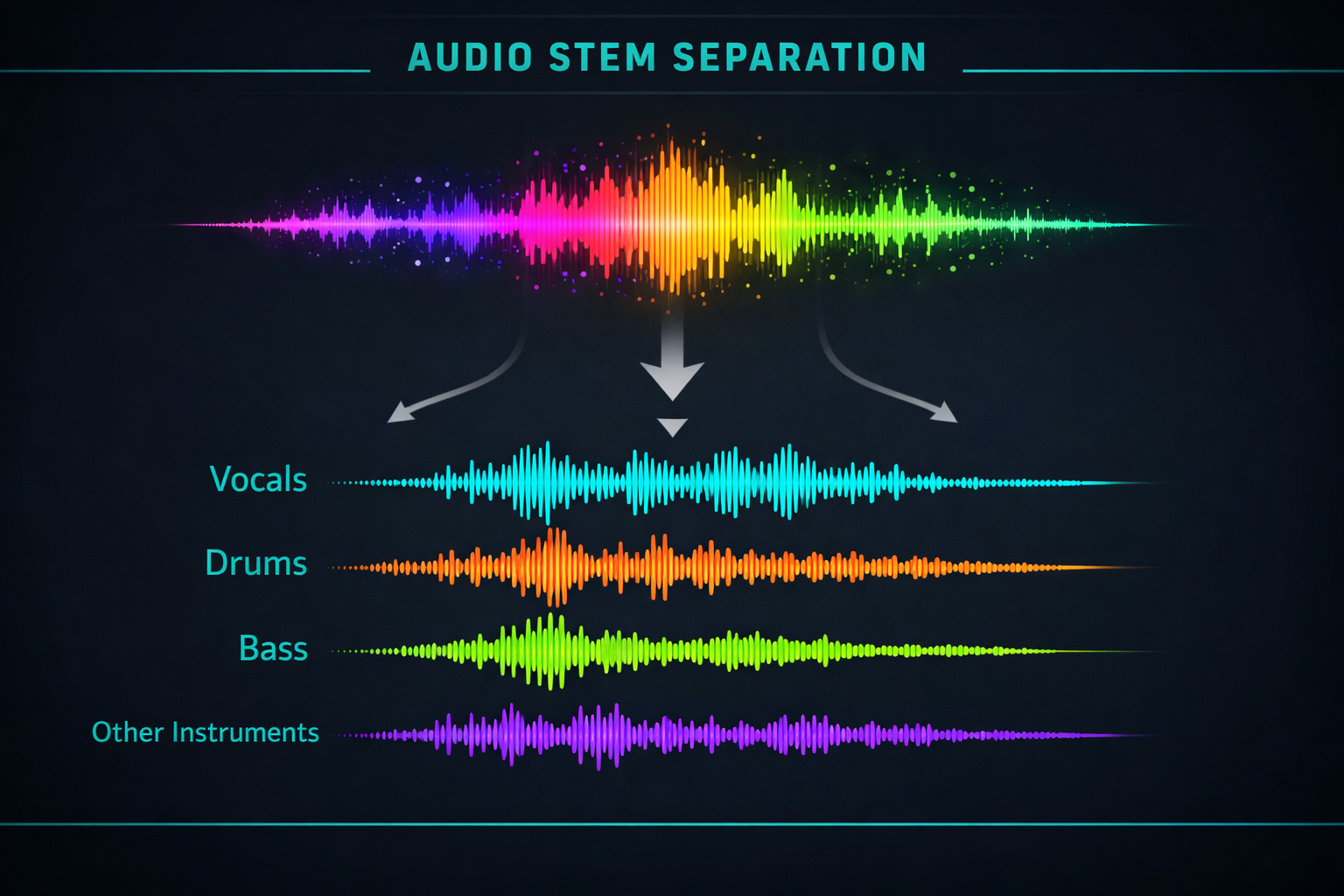
How Stem Split Works
Stem Split uses AI source separation to decompose a mixed audio track into individual instrument stems. The AI model, trained on millions of songs, identifies and isolates the distinct audio sources within the mix. Standard separation produces 4 stems: vocals, drums, bass, and other (melody/instruments). Some modes offer 6-stem separation that further divides the "other" category into piano, guitar, and remaining instruments.
Musicians use Stem Split for remixing, sampling, and mashup creation. Producers extract vocal tracks to create acapella versions or remix stems. DJs isolate drums for beatmatching or vocals for live mashups. Karaoke enthusiasts remove vocals from songs. Music students isolate individual instruments for practice and transcription.
Upload the highest quality audio file available -- lossless formats (WAV, FLAC) produce cleaner separation than compressed formats (MP3 at 128kbps). Songs with clear separation between instruments in the original mix produce the best stems. Heavily layered or distorted tracks may have some bleed between stems, especially between guitar and vocal frequencies.
How it works
1
Upload your audio track
2
AI separates into 4-6 stems automatically
3
Download individual stems (vocals, drums, bass, melody)
What you'll get
Stem Split
Audio output
0:00 Duration varies
Studio-quality audio at up to 48kHz sample rate
Natural-sounding output with minimal artifacts
WAV or MP3 format for any workflow
Adjustable duration and style parameters
Commercial license included with every file
Instant download and API access
Frequently asked questions
Do I need a subscription to use Stem Split?
No. FairStack uses pay-per-use pricing. Add funds to your account and use any tool whenever you need it. There is no subscription, no monthly commitment, and no minimum spend.
What file formats does Stem Split support?
Stem Split outputs WAV and MP3. You can download results instantly after generation. All outputs are full quality with no watermarks.
How long does Stem Split take?
Most generations complete in 5-20 seconds depending on length. Processing time depends on the complexity of your input and the selected quality settings. You can monitor progress in real time.
Can I use Stem Split outputs commercially?
Yes. All outputs generated on FairStack include a commercial-use license. You can use them in client work, products, marketing materials, social media, and any other commercial context.
What audio format and quality are the output stems?
Each stem is delivered as a separate WAV file at 44.1kHz sample rate, matching the input duration. A 4-stem split produces 4 files (vocals, drums, bass, other). All stems maintain the original audio quality with minimal artifacts.
Can I use separated stems for commercial remixes and productions?
FairStack provides the separation technology and includes a commercial-use license for the AI processing. However, if you are separating copyrighted music, you are responsible for having appropriate rights or licenses for the original recording.
Can I process multiple tracks for stem separation in batch?
The web app processes one track at a time. The FairStack API supports batch audio processing for submitting multiple tracks. Each separation costs $0.02-0.05 depending on track length. A 10-track album separation costs approximately $0.20-0.50.
Built for Musicians & Audio Creators
Album art, music videos, lyric videos, voice cloning, stem splitting, and podcast avatars. Visual content for your audio -- no video skills required.
More tools for Musicians & Audio Creators:
Beat Sync
Photo + song = music video
Album Art
Cover art from your song's vibe
Music Video
One image + your track = music video
Lyric Video
Animated lyrics synced to your song
Podcast Avatar
AI host reads your script
Audio Visualizer
Visual waveform for your track