AI image No subscription required

Macro Shot

Extreme close-up product detail

Generate a macro-style extreme close-up of your product highlighting texture, materials, and craftsmanship. Auto-detects the most interesting detail area or let you choose manually.
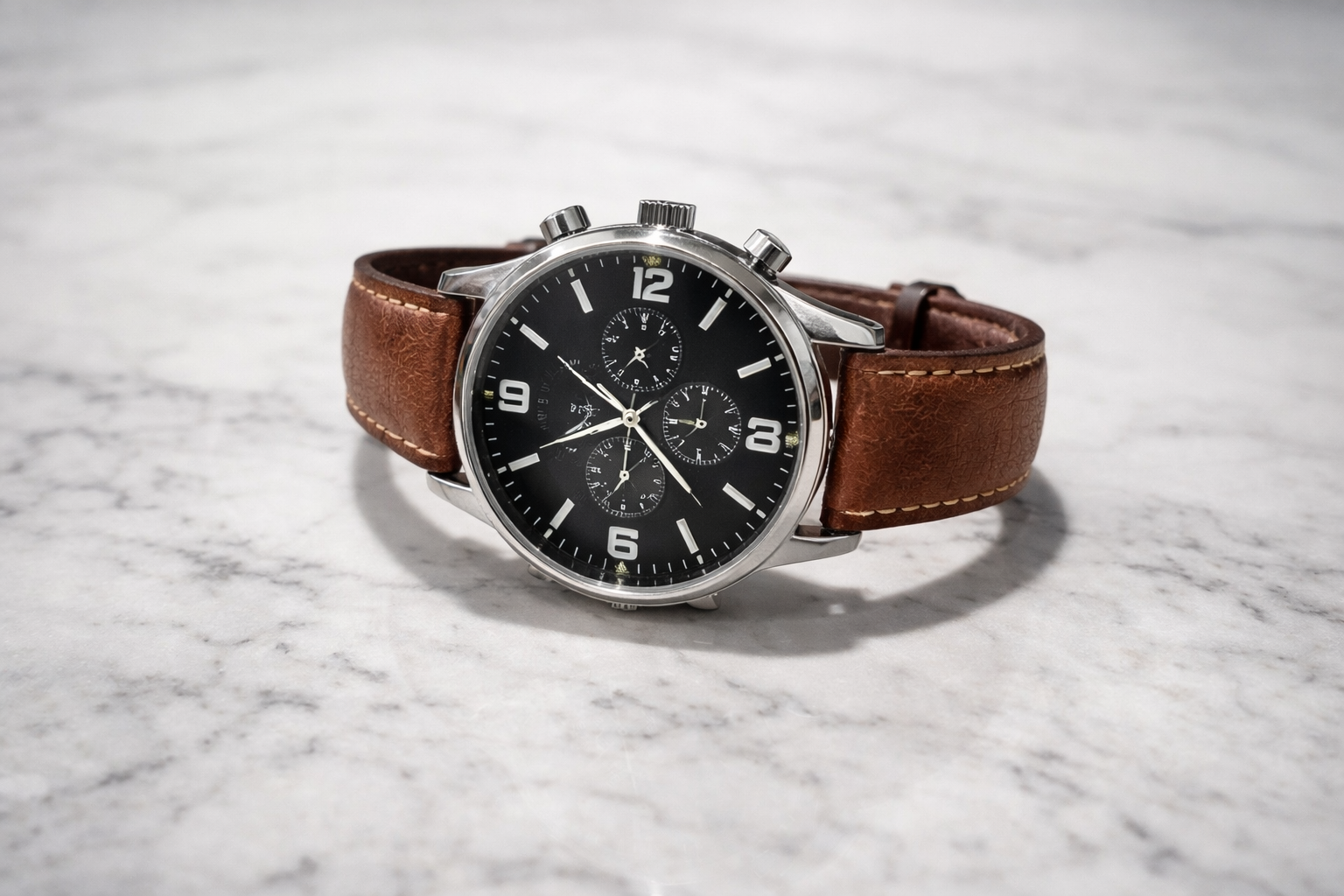
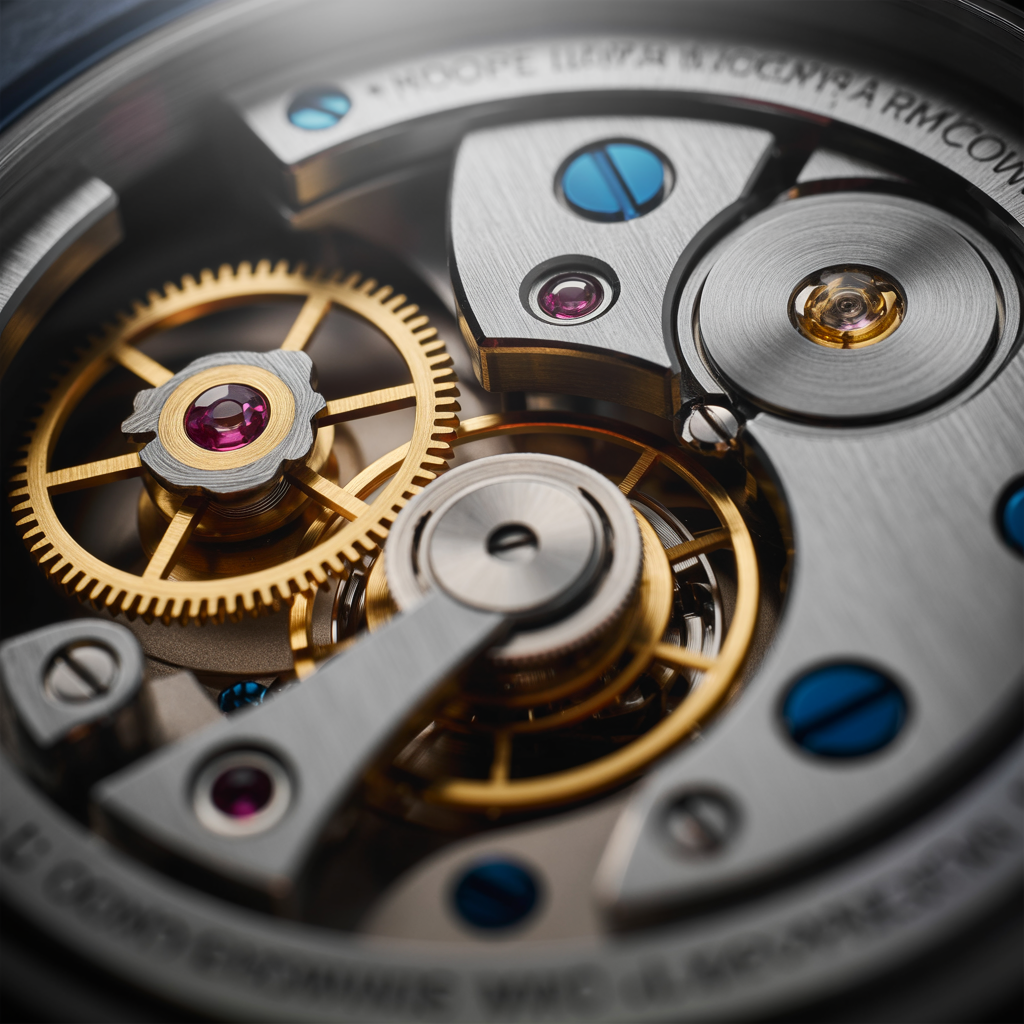
Macro Shot before and after - Studio Quality
Macro Shot before and after - Phone Photo
Phone Photo
Studio Quality

How Macro Shot Works

Macro Shot uses AI to analyze your product photo and generate a convincing extreme close-up that highlights texture, material quality, and craftsmanship details. The AI identifies the most visually interesting area of the product -- stitching on leather goods, grain on wood, weave patterns on fabric, brushed metal finishes -- and creates a macro-style image with shallow depth of field. E-commerce sellers use macro shots to communicate product quality in listings. Customers shopping online cannot touch the product, so showing texture and material detail builds confidence and reduces returns. Jewelry, watches, leather goods, textiles, electronics, and food products all benefit from close-up detail shots. Upload a clear, well-lit product photo that already shows some texture or detail. The AI enhances what is visible, so blurry or poorly lit originals produce less convincing macro results. If you want the AI to focus on a specific area (the buckle rather than the leather, the dial rather than the band), you can crop your input photo to guide the focus. Each macro shot costs $0.025.

How it works

1

Upload your product photo

2

AI detects the best detail area (or choose manually)

3

Get your macro detail shot

What you'll get

High-resolution output ready for social, web, or print

Multiple style variations available per generation

Commercial-use license included with every output

PNG, JPG, or WebP format at up to 4K resolution

Instant download -- no watermarks, no waiting

Consistent quality powered by state-of-the-art AI models

Frequently asked questions

Do I need a subscription to use Macro Shot?
No. FairStack uses pay-per-use pricing. Add funds to your account and use any tool whenever you need it. There is no subscription, no monthly commitment, and no minimum spend.
What file formats does Macro Shot support?
Macro Shot outputs PNG, JPG, and WebP. You can download results instantly after generation. All outputs are full quality with no watermarks.
How long does Macro Shot take?
Most generations complete in 2-10 seconds. Processing time depends on the complexity of your input and the selected quality settings. You can monitor progress in real time.
Can I use Macro Shot outputs commercially?
Yes. All outputs generated on FairStack include a commercial-use license. You can use them in client work, products, marketing materials, social media, and any other commercial context.
What resolution and format are macro shot images?
Macro Shot outputs PNG images at up to 1024x1024 resolution with simulated shallow depth of field. The AI adds realistic bokeh (background blur) to emphasize the focal detail area.
Can I use macro shots in my product listings and marketing?
Yes. All FairStack outputs include a commercial-use license. Macro shots are commonly used in Amazon listing galleries, Shopify product pages, social media posts, and print catalogs.
Can I generate macro shots for an entire product catalog?
The web app processes one product at a time. For bulk processing, use the FairStack API to submit multiple product images for parallel macro generation. At $0.025 each, processing 200 products costs $5.00.

Built for E-Commerce & Product Marketing

Product photography, video ads, background swaps, and catalog batch processing. Professional e-commerce content without a photographer or studio.

More tools for E-Commerce & Product Marketing:

See all E-Commerce & Product Marketing tools