AI image No subscription required

Virtual Try-On

Try any outfit from a photo

Upload your photo and an outfit image to see yourself wearing it. Supports casual, formal, streetwear, and editorial fits. No purchase required -- try before you buy.
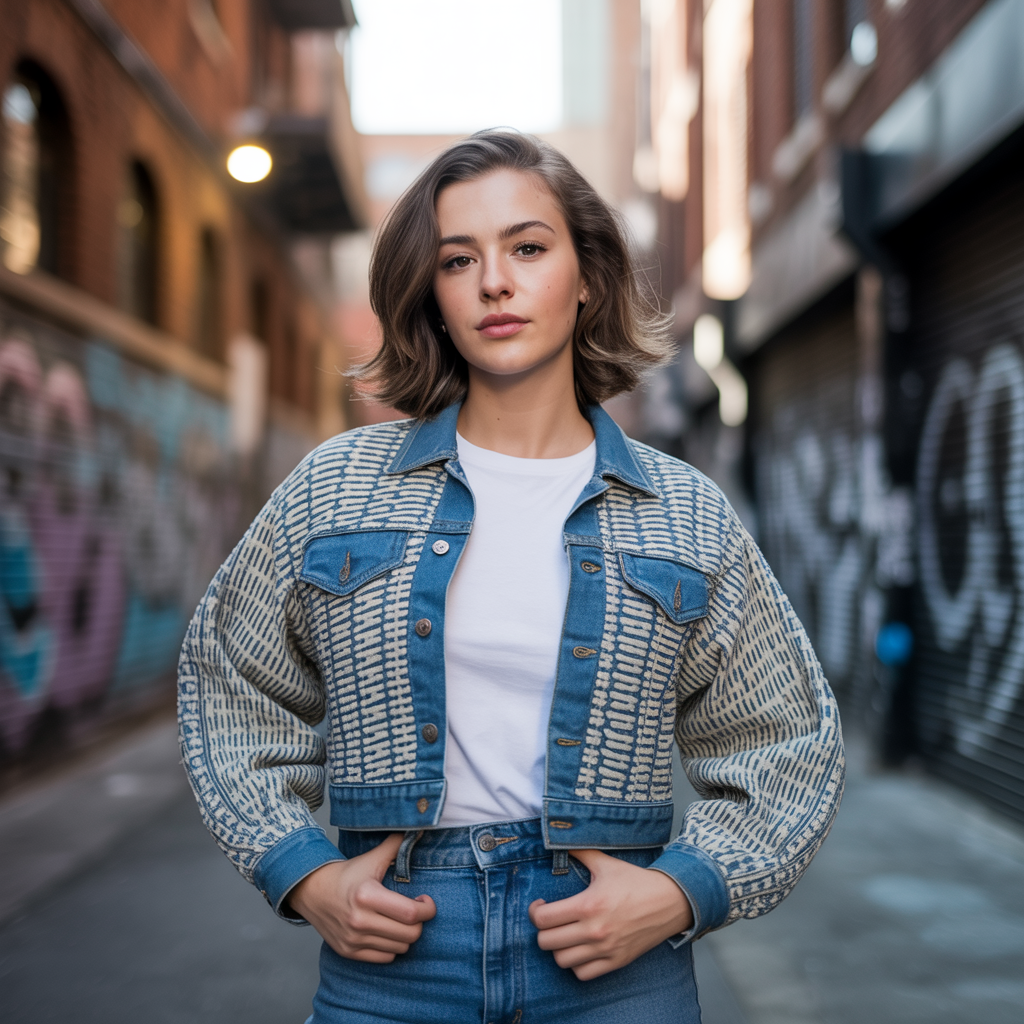
Virtual Try-On example output

How Virtual Try-On Works

Virtual Try-On uses AI body segmentation and garment transfer to show you wearing an outfit from a separate photo. The AI analyzes your body shape, pose, and proportions in your photo, then warps and blends the clothing item onto your body while preserving natural draping, wrinkles, and fabric behavior. The result looks like you actually tried on the outfit. Fashion brands use Virtual Try-On to let customers preview clothing before purchasing, reducing return rates. Content creators generate outfit-of-the-day posts without physically owning every piece. Stylists show clients outfit options without visiting a store. Beauty salons preview complete looks combining clothing, hair, and accessories. Upload a full-body or waist-up photo in form-fitting or neutral clothing for the cleanest overlay. The AI works best when your current outfit does not compete visually with the target garment. Use a clear, flat-lay or mannequin photo of the outfit for the most accurate fit transfer. Dramatic poses or extreme angles may affect garment placement accuracy.

How it works

1

Upload your photo and the outfit image

2

Pick a fit style (Casual, Formal, Streetwear, Editorial)

3

See yourself wearing the outfit

What you'll get

High-resolution output ready for social, web, or print

Multiple style variations available per generation

Commercial-use license included with every output

PNG, JPG, or WebP format at up to 4K resolution

Instant download -- no watermarks, no waiting

Consistent quality powered by state-of-the-art AI models

Frequently asked questions

Do I need a subscription to use Virtual Try-On?
No. FairStack uses pay-per-use pricing. Add funds to your account and use any tool whenever you need it. There is no subscription, no monthly commitment, and no minimum spend.
What file formats does Virtual Try-On support?
Virtual Try-On outputs PNG, JPG, and WebP. You can download results instantly after generation. All outputs are full quality with no watermarks.
How long does Virtual Try-On take?
Most generations complete in 2-10 seconds. Processing time depends on the complexity of your input and the selected quality settings. You can monitor progress in real time.
Can I use Virtual Try-On outputs commercially?
Yes. All outputs generated on FairStack include a commercial-use license. You can use them in client work, products, marketing materials, social media, and any other commercial context.
What image quality does Virtual Try-On produce?
Output images are PNG format at up to 1024x1024 resolution. The AI blends the garment onto your body with realistic wrinkles, shadows, and fabric draping. Results are suitable for social media posts and product previews.
Can I use Virtual Try-On images for brand marketing?
Yes. All FairStack outputs include a commercial-use license. Fashion brands commonly use Virtual Try-On for social media content, lookbook previews, and personalized shopping recommendations.
Can I process multiple outfits or customers in bulk?
The web app handles one try-on at a time. For e-commerce integration, the FairStack API supports batch try-on generation -- submit multiple photo-and-outfit pairs for parallel processing. Each try-on costs $0.025-0.06.

Try Virtual Try-On

No subscription required.

Start Creating