AI image No subscription required

QR Flyer

Marketing flyer with QR code

Create a marketing flyer with an auto-generated QR code. Enter your business info and URL, upload an optional photo, and pick a template (event, sale, service, menu). The QR code is generated and embedded automatically.
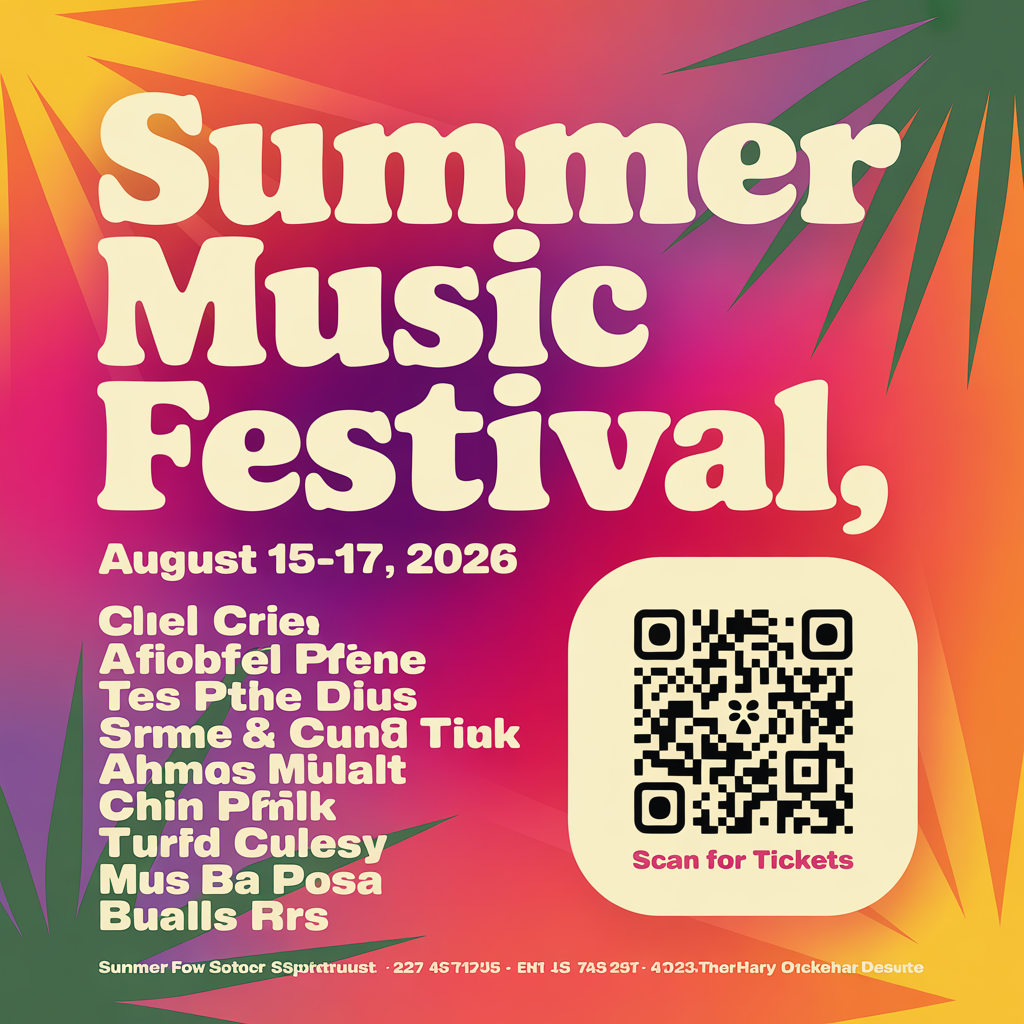
QR Flyer example output

How QR Flyer Works

QR Flyer uses AI image generation to create professional marketing flyers with automatically embedded QR codes. Enter your business information and the URL you want the QR code to link to, upload an optional product or business photo, and choose a template type -- event, sale, service, or menu. The AI designs a complete flyer with compelling layout, typography, and a scannable QR code positioned for easy access. Small businesses use QR Flyers to bridge offline and online marketing. A restaurant prints flyers linking to their online ordering page. A salon distributes cards linking to their booking system. An event planner creates invitations linking to RSVP pages. A service business leaves door hangers linking to their quote request form. The QR code turns every printed piece into a measurable digital touchpoint. For the most effective flyers, keep your headline to five to seven words and your body text to two or three short sentences. Use a short, clean URL or a link shortener for your QR destination. Include a clear call to action near the QR code such as "Scan for 10% off" or "Scan to book online." The event template emphasizes date and time, sale highlights discounts, and service focuses on benefits. At $0.025 per flyer design, test multiple versions before printing.

How it works

1

Enter your business info and URL

2

Pick a template (Event, Sale, Service, Menu)

3

Get your flyer with embedded QR code

What you'll get

High-resolution output ready for social, web, or print

Multiple style variations available per generation

Commercial-use license included with every output

PNG, JPG, or WebP format at up to 4K resolution

Instant download -- no watermarks, no waiting

Consistent quality powered by state-of-the-art AI models

Frequently asked questions

Do I need a subscription to use QR Flyer?
No. FairStack uses pay-per-use pricing. Add funds to your account and use any tool whenever you need it. There is no subscription, no monthly commitment, and no minimum spend.
What file formats does QR Flyer support?
QR Flyer outputs PNG, JPG, and WebP. You can download results instantly after generation. All outputs are full quality with no watermarks.
How long does QR Flyer take?
Most generations complete in 2-10 seconds. Processing time depends on the complexity of your input and the selected quality settings. You can monitor progress in real time.
Can I use QR Flyer outputs commercially?
Yes. All outputs generated on FairStack include a commercial-use license. You can use them in client work, products, marketing materials, social media, and any other commercial context.
What resolution and format are the flyers?
Flyers are generated as high-resolution PNG files at 1024x1536 pixels (portrait orientation), suitable for standard letter-size printing, A4 format, and social media sharing. The QR code is rendered at sufficient resolution to scan reliably when printed at any standard size.
Can I use the flyers for commercial print runs and distribution?
Yes. All generated flyers are fully yours for any commercial use, including print runs of any quantity, door-to-door distribution, in-store display, mailing campaigns, and digital sharing. No watermarks, no attribution, no licensing restrictions.
Can I create different flyers for different promotions quickly?
Yes. At $0.025 per flyer, creating 20 different promotional flyers for various campaigns costs just $0.50. Many businesses generate separate flyers for each weekly promotion, seasonal sale, or event and print only what they need for that period.

Built for Small Business

Professional headshots, social media posts, video ads, signage mockups, and voice announcements. Marketing content for local businesses at pennies per piece.

More tools for Small Business:

See all Small Business tools