AI video No subscription required

BG Replace Video

New background for any video

Replace the background in any video clip. AI segments the subject frame-by-frame and composites them onto a new scene. Describe the background or choose from presets.
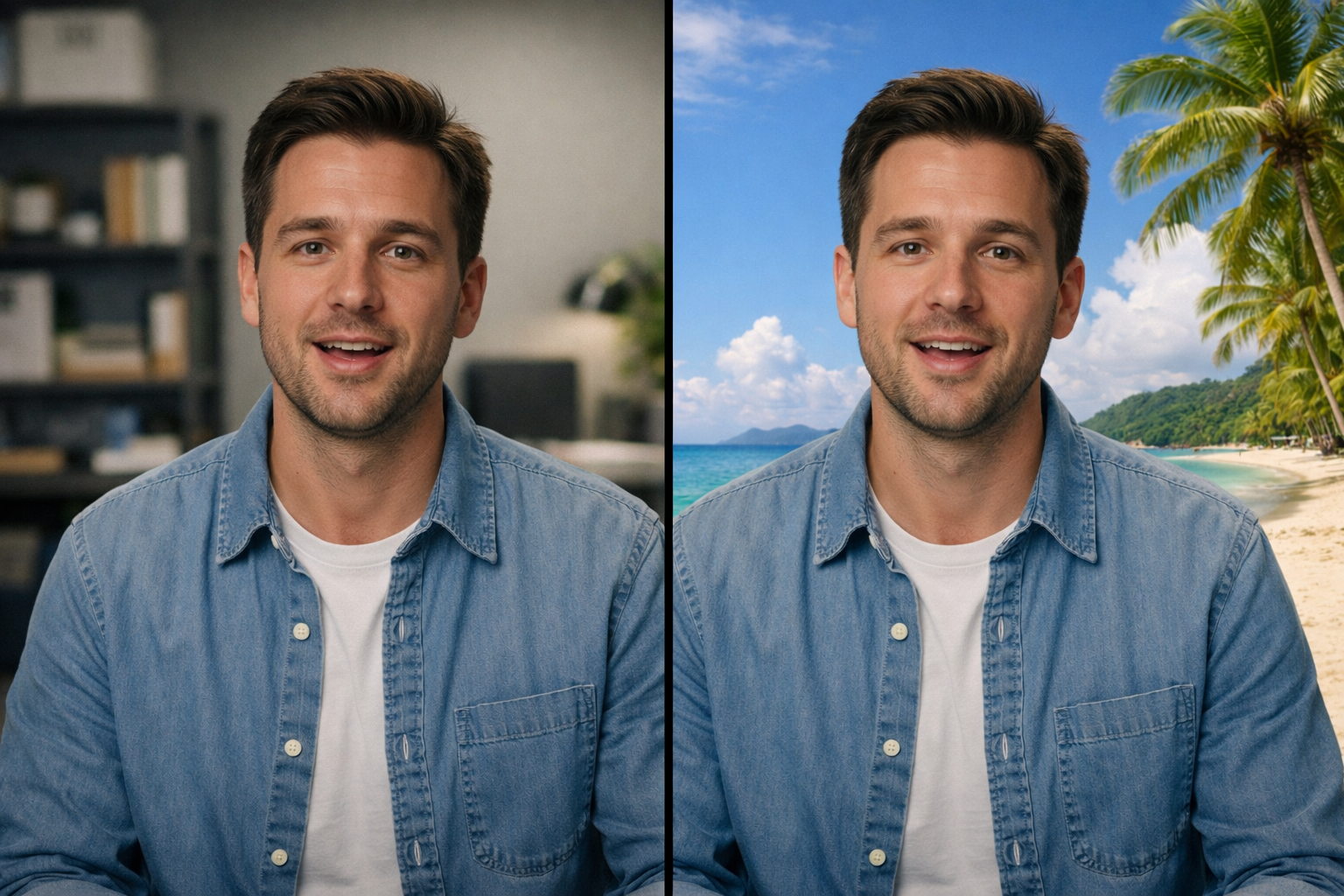
BG Replace Video example output

How BG Replace Video Works

BG Replace Video uses AI segmentation and generative compositing to replace the background in video clips frame-by-frame. The AI tracks the subject through every frame, maintains a stable foreground mask even during movement, and composites the subject onto a new background scene with matched perspective, lighting, and motion parallax. No physical green screen is required. Filmmakers use BG Replace Video for post-production scene changes, visual effects, and virtual set extensions. YouTubers and streamers replace their home office backgrounds with professional or themed environments. E-learning creators place instructors in contextual settings. Real estate agents superimpose themselves at property locations they cannot physically visit. Upload footage where the subject is clearly separated from the background. Stable tripod shots produce cleaner segmentation than handheld footage. The subject should not exit the frame during the clip. Simple background descriptions ("a modern office with floor-to-ceiling windows overlooking a city") produce the most reliable compositing. Complex dynamic backgrounds may look less convincing.

How it works

1

Upload your video clip

2

Describe the new background or pick a preset scene

3

Get your video with the new background

What you'll get

BG Replace Video output preview

Replace the background in any video clip. AI segments the subject frame-by-frame and composites them onto a new scene. Describe the background or choose from presets.

HD or 4K video output ready for social or professional use

Multiple duration options from 2s to 60s+

MP4 format compatible with all editing software

Smooth motion and natural transitions

No watermarks on any output

Consistent quality across every generation

Frequently asked questions

Do I need a subscription to use BG Replace Video?
No. FairStack uses pay-per-use pricing. Add funds to your account and use any tool whenever you need it. There is no subscription, no monthly commitment, and no minimum spend.
What file formats does BG Replace Video support?
BG Replace Video outputs MP4. You can download results instantly after generation. All outputs are full quality with no watermarks.
How long does BG Replace Video take?
Most generations complete in 15-60 seconds depending on duration and resolution. Processing time depends on the complexity of your input and the selected quality settings. You can monitor progress in real time.
Can I use BG Replace Video outputs commercially?
Yes. All outputs generated on FairStack include a commercial-use license. You can use them in client work, products, marketing materials, social media, and any other commercial context.
What video quality does BG Replace Video produce?
Output is MP4 format at up to 720p resolution, matching the input frame rate and duration. Audio is preserved. The AI generates realistic lighting on the subject that matches the new background's illumination.
Can I use background-replaced video in professional productions?
Yes. All FairStack outputs include a commercial-use license. BG Replace Video is used for film VFX, commercial production, YouTube content, virtual presentations, and live stream recordings.
Can I replace backgrounds in multiple clips with the same scene?
Yes. Submit multiple clips with the same background description for a consistent virtual set across all shots. The FairStack API supports batch video processing. Each clip costs $0.15-0.40 depending on duration.

Built for Filmmakers & Video Creators

Video upscaling, lipsync, storyboarding, concept art, camera moves, slow motion, and AI dubbing. Production tools for indie filmmakers and YouTubers.

More tools for Filmmakers & Video Creators:

See all Filmmakers & Video Creators tools