AI image No subscription required

Storyboard

Script to visual storyboard

Turn scene descriptions into a visual storyboard. Enter your script or scene-by-scene descriptions and get a storyboard grid with one frame per scene. Choose realistic, sketched, cinematic, or anime styles.
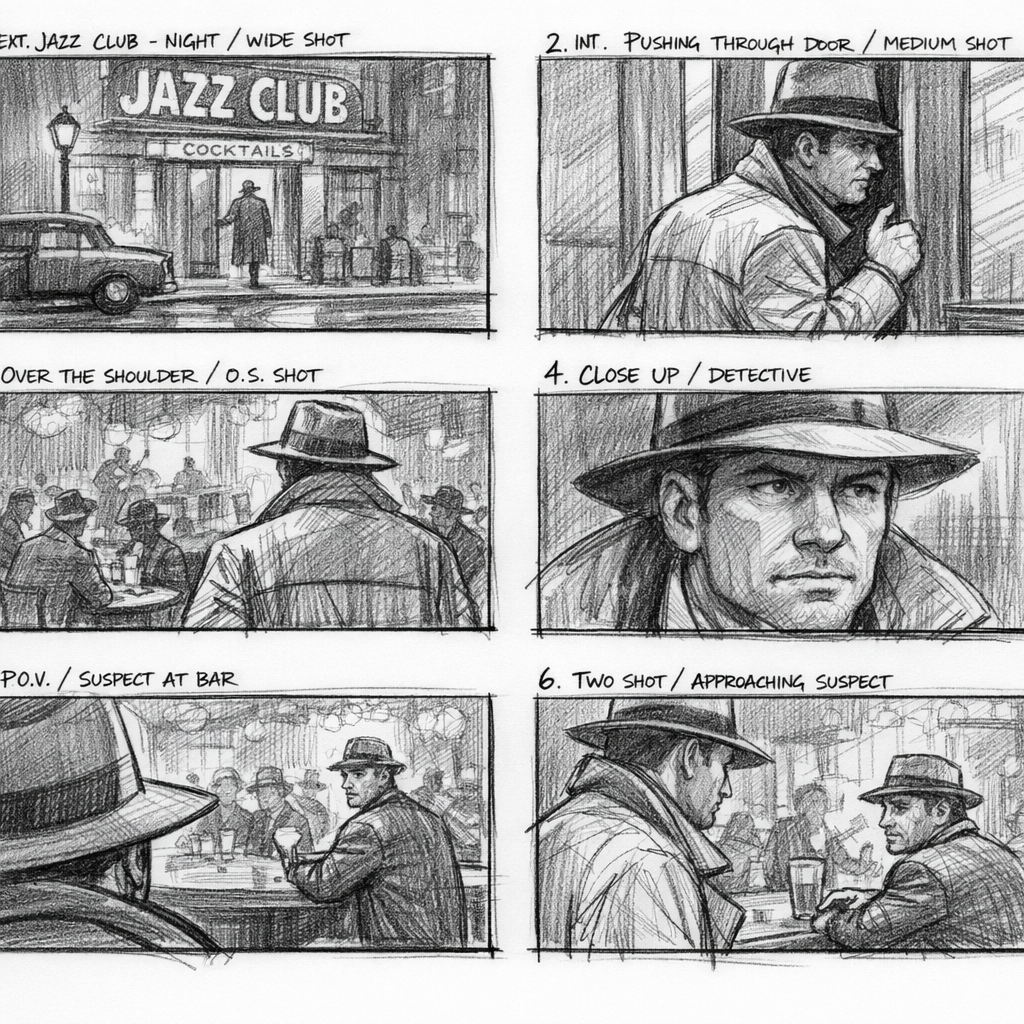
Storyboard example output

How Storyboard Works

Storyboard uses text-to-image AI to convert your scene descriptions into a visual storyboard grid. You write one description per frame (establishing shot of a dark alley, close-up of a hand reaching for a doorknob, wide shot of the city skyline at dawn), choose an art style, and the AI generates a cohesive visual storyboard with consistent character design and visual tone across all frames. Filmmakers use Storyboard during pre-production to communicate their vision to crew, clients, and investors. Game designers prototype cutscenes and gameplay sequences. Ad agencies pitch concepts to clients with visual storyboards instead of abstract briefs. Authors create visual chapter outlines. All without drawing skills. Write clear, specific scene descriptions -- "low-angle shot of a woman silhouetted against a sunset" produces better results than "a person outside." Include camera angle, framing, and lighting in your descriptions. Keep character descriptions consistent across frames for visual continuity. The sketched style is fastest and cheapest for initial brainstorming; switch to cinematic style for client-facing boards.

How it works

1

Enter your scene descriptions (one per frame)

2

Pick a style (Realistic, Sketched, Cinematic, Anime)

3

Get your visual storyboard grid

What you'll get

High-resolution output ready for social, web, or print

Multiple style variations available per generation

Commercial-use license included with every output

PNG, JPG, or WebP format at up to 4K resolution

Instant download -- no watermarks, no waiting

Consistent quality powered by state-of-the-art AI models

Frequently asked questions

Do I need a subscription to use Storyboard?
No. FairStack uses pay-per-use pricing. Add funds to your account and use any tool whenever you need it. There is no subscription, no monthly commitment, and no minimum spend.
What file formats does Storyboard support?
Storyboard outputs PNG, JPG, and WebP. You can download results instantly after generation. All outputs are full quality with no watermarks.
How long does Storyboard take?
Most generations complete in 2-10 seconds. Processing time depends on the complexity of your input and the selected quality settings. You can monitor progress in real time.
Can I use Storyboard outputs commercially?
Yes. All outputs generated on FairStack include a commercial-use license. You can use them in client work, products, marketing materials, social media, and any other commercial context.
What format and resolution are storyboard frames?
Each frame is a PNG image at up to 1024x1024 resolution. Frames are generated individually, so you can arrange them into your preferred storyboard layout in any presentation or editing tool.
Can I use AI storyboards in professional film productions?
Yes. All FairStack outputs include a commercial-use license. Storyboards are commonly used in pitch decks, pre-production packages, client presentations, and production planning documents.
Can I generate a full storyboard with many frames at once?
The web app generates one frame per input. For a complete storyboard, submit each scene description separately. At $0.025 per frame, a 20-frame storyboard costs $0.50. The API supports batch generation for faster processing.

Built for Filmmakers & Video Creators

Video upscaling, lipsync, storyboarding, concept art, camera moves, slow motion, and AI dubbing. Production tools for indie filmmakers and YouTubers.

More tools for Filmmakers & Video Creators:

See all Filmmakers & Video Creators tools